A product of GRA, Inc. www.grainc.net
CN70 Barcode Scanner
Knowledge Guide
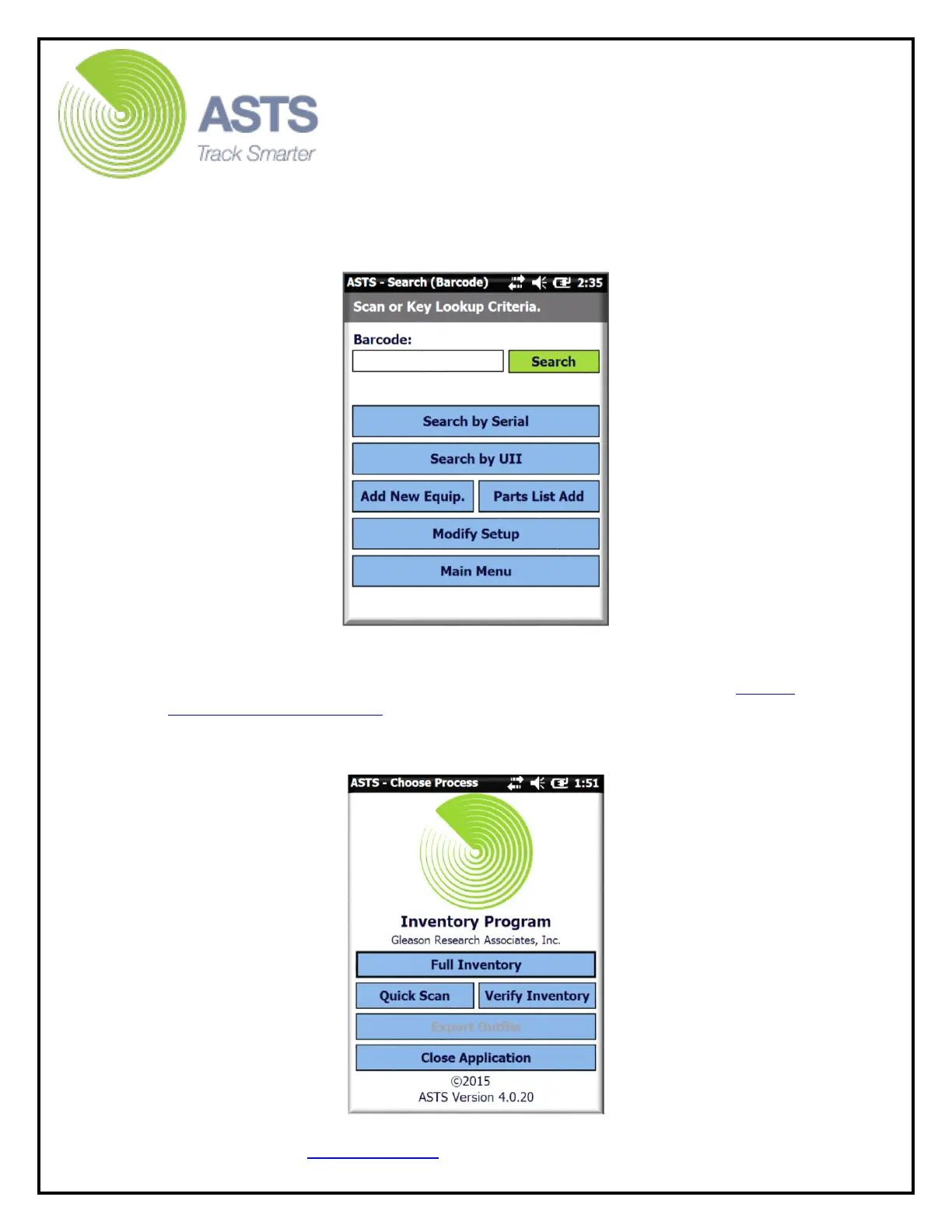
12. After scanning the last item of the inventory (prior to uploading the
data from the scanner), click the “Main Menu” button to navigate the ASTS
scanner software back to the Main Menu page.
13. Click the “Export Outfile” button. This compiles the file necessary for
upload into ASTS.
14. Click the “Close Application” button. Now, proceed to the “Upload
(From Scanner) To ASTS” section of this guide to upload the scanner
“OUT_###” file from the scanner to the ASTS database.


 To Next Page