Jump Starter Pack Device Operation Instructions
ACR/QA 1829Nov
Section-B) Jump Starter Pack Device Use Continued:
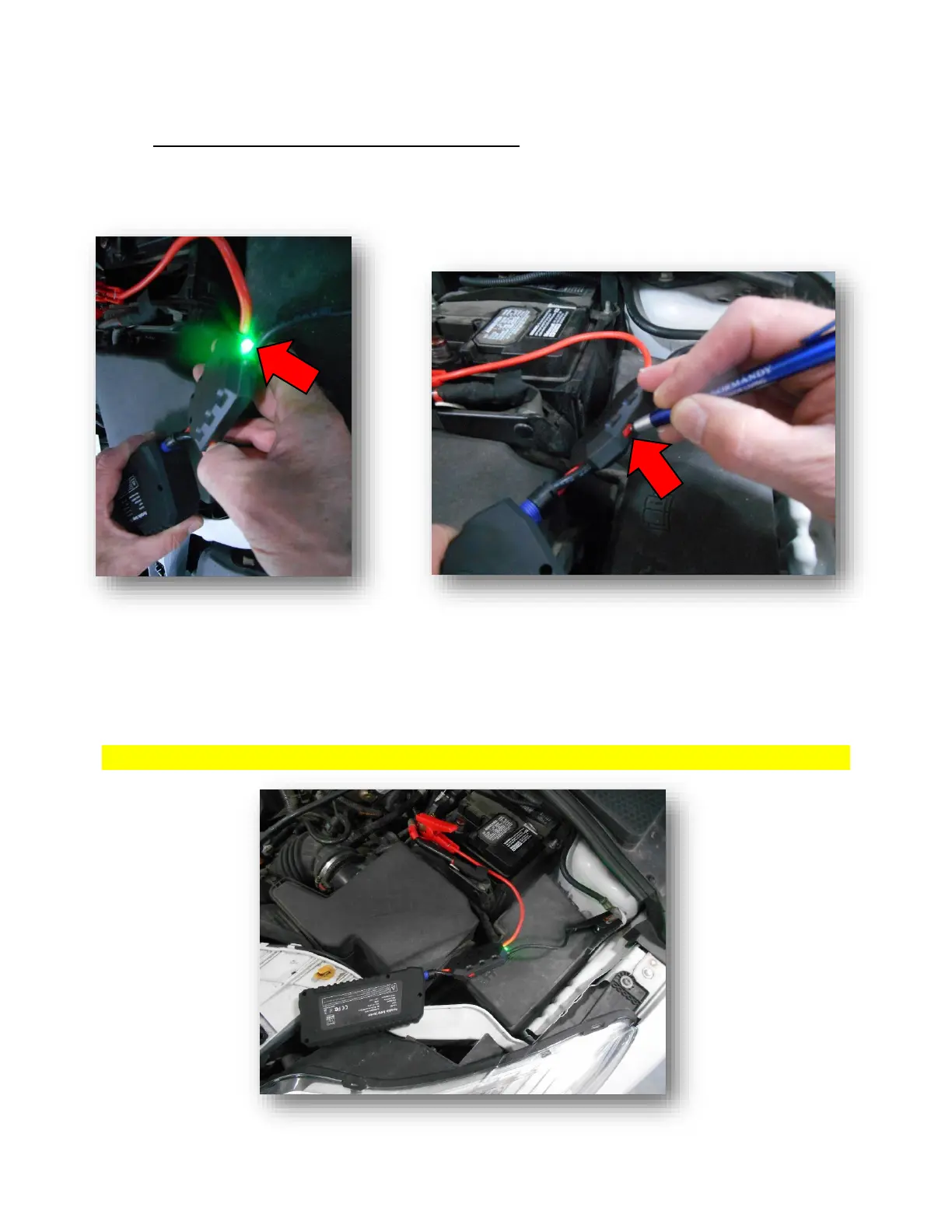
Step #5) When correctly connected, the indicator light on the safety box of the Smart Clamps will
be Illuminated; and not flashing.
NOTE: If the indicator light is flashing, locate the Manual Activation Button that is located on the
side of the Smart Clamp Safety Box. (Then press and hold the Manual Activation Button for
1 to 3 seconds; and then release the Manual Activation Button. Additionally, the
Indicator light should be illuminated and not flashing).
If all previous steps are correctly connected, your device set up should look similar to this;
View of typical under hood/bonnet jump-starter device setup


 To Next Page