Base Option
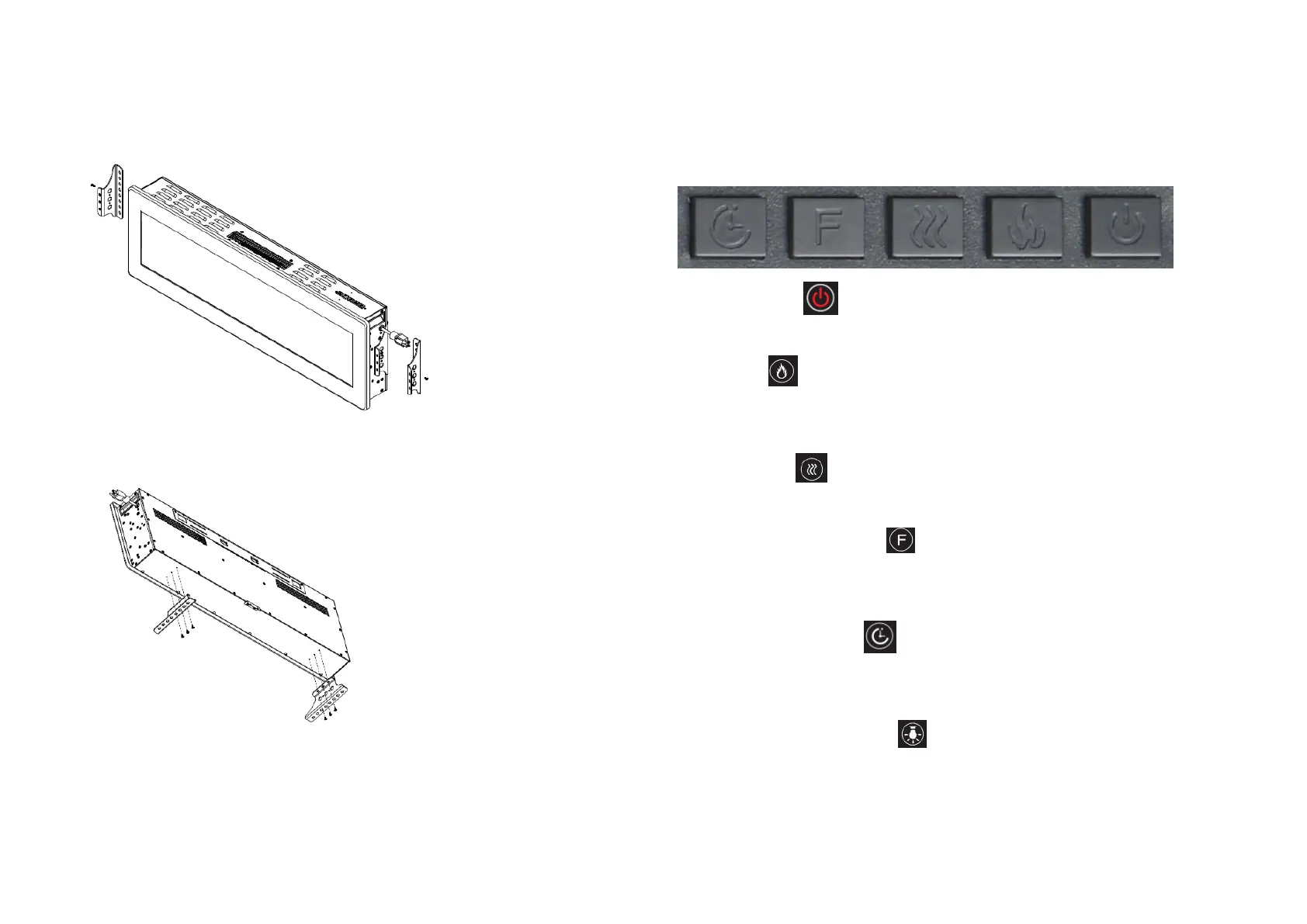
⚫ Take of the base from the left and right side of the fireplace, please see Fig.5
Fig.5
⚫ Install the base with 6*12mm screws (6*12 screws is on the bottom of the fireplace) as
provided, please see Fig.6
Fig.6
-7-
Instructions for Use
⚫ The appliance can be operated either by the switches located on the top right hand side
of the fire or by supplied remote control.
TO ACCESS CONTROL PANEL
⚫ Press once the button on the remote control this turns ON/OFF the appliance
and fire effect.
⚫ Press the button for operates the dimmer mode. Each time the dimmer button is
Pressed, the intensity of the flame decrease. There are 5 brightness levels you can
cycle through and the OFF setting.
⚫ Press once the button for the low heat setting(750W); press twice for the high
heat setting(1500W); press again to turn off the heater.
⚫ Temperature setting button . The highest temperature of the thermostat is 82℉.
There are several thermostat levels you can cycle through between 62℉ and 82℉, and
the OFF settings, keep pressing 5 seconds to toggle between ℃ and ℉.
⚫ Timer setting. Press the button to cycle through the timer settings (1Hour,
2H,3H,4H,5H,6H,7H,and 8H) and the OFF setting.
⚫ Colorful Setting.
On remote Press the remotes button to set the flame color.
9 colors: Orange, green, blue, white, orange&green, orange&blue, orange&white,
green&blue, green&white.
- 8 -


 To Next Page
 Loading...