20 21
Cleaning the Instrument
The surfaces of your instruments should be cleaned after
every use. Use a soft cloth to remove dirt, dust, earwax and
residuefromcosmeticsorcolognes.Keepingtheinstruments
as clean as possible will help avoid costly repairs.
Only use cleaning products recommended by your hearing
healthcare professional. Please refer to “Things that Can Da-
mage Your Hearing System” for more information.
Cleaning the Microphone Sound Inlets
Refer to the diagrams on page 4 to locate the
sound inlets on the hearing instrument.
Keepingthesoundinletscleanwillallowthemicrophonestofunctionproperly.Use
the soft brush provided with your hearing instruments to remove dust or other debris
from the sound inlets.
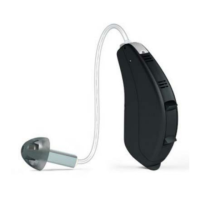
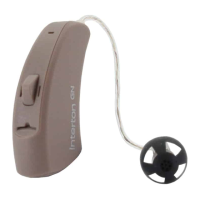
Cleaning the Receiver Dome and Tube
If you have a receiver dome and tube, they should be cleaned
regularly.
Use a damp cloth to clean the receiver dome and tube on the
outsides. If you notice excessive earwax build-up, please con-
tact your hearing healthcare professional. Improper cleaning
may result in damage to your hearing instrument.
Do not submerge or rinse the receiver dome and tube with wa-
ter, as this would be harmful to the instrument’s electronics.
Please contact your hearing healthcare professional to change the tube if it becomes
stiff or brittle.
Note:Yourhearinginstrumentshavebeenequippedwithlters.Formoreinformation,
pleaserefertothe“EarwaxManagement”section.



 To Next Page