EasyManua.ls Logo

Interton RD 61 - User Manual

Interton RD 61
33 pages
Print Icon
To Next Page IconTo Next Page
Loading...
Interton Ready
User guide
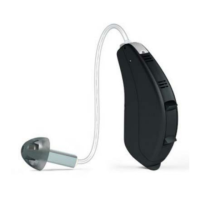
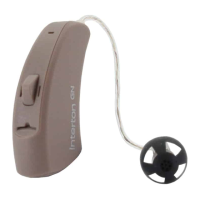
Receiver-In-Ear hearing aids

Table of Contents

Questions and Answers

  • D
    Donald BakerAug 3, 2025
    What to do if my Interton RD 61 Hearing Aid has no sound?
    • C
      charlesgutierrezAug 3, 2025
      If your Interton Hearing Aid has no sound, first ensure it is switched on. If you have the 62-DRW model, check that it is not in telecoil mode and switch to the microphone program. Also, verify that a battery is inserted, and if so, replace it with a new one to ensure it is not depleted. For further assistance if these steps don't resolve the issue, consult your hearing care practitioner or physician to check for blockage.
  • T
    Theodore WilsonAug 11, 2025
    How to stop feedback “whistling” in my Interton Hearing Aid?
    • B
      Brittany TurnerAug 11, 2025
      If your Interton Hearing Aid is producing feedback or whistling, try these solutions: Ensure that your earmould or dome is correctly inserted; if not, re-insert it. If the volume is set too high, reduce it. Also, make sure you are not holding any objects close to the hearing aid. If your ear is full of wax, please visit your physician. If the issue persists, the receiver wire or earmould may be clogged or broken, consider replacing it or visiting your hearing care professional.
  • B
    Brenda HughesAug 19, 2025
    Why is the sound distorted, spluttering, or weak on my Interton RD 61 Hearing Aid?
    • H
      harrisbrendaAug 19, 2025
      If the sound from your Interton Hearing Aid is distorted, spluttering, or weak, the following may help: Replace the battery with a new one if it's dead or dirty. If your hearing aid got moist, use a desiccant. For any further assistance, visit your hearing care professional to check if the receiver wire or the earmould is clogged or broken.
  • D
    Deborah BrewerAug 26, 2025
    How to prevent the battery of my Interton Hearing Aid from draining quickly?
    • J
      Joel ChanAug 26, 2025
      If the battery of your Interton Hearing Aid drains very quickly, switch off your hearing aid when you are not using it, for example, during the night. Also, check the date on the battery packaging to ensure the battery is not old.

Summary

3 Becoming accustomed to amplification

6 Descriptions

6.1 Your hearing aid - RD 61; RD 62

Details the various parts of the RD 61 and RD 62 hearing aids, including receiver wires, domes, and buttons.

7 Getting started

7.3 Low battery indicator

7.4 Insert;Remove hearing aid

7.5 Operation of the hearing aid

7.5.1 Push button or Multi-function button

Details the functions of the push button (61 models) and multi-function button (62 models) for programme and volume control.

8.2 Using Interton hearing aids with smartphone apps

8.4 AutoPhone

8.5 Telecoil (62-DRW only)

8.6 Direct Audio Input (optional) (62-DRW only)

8.6.1 Connecting DAI

Step-by-step instructions for attaching the Direct Audio Input (DAI) click-on adaptor to the hearing aid.

8.6.2 Disconnecting DAI

Instructions on how to safely detach the Direct Audio Input (DAI) click-on adaptor from the hearing aid.

9 Tinnitus Sound Generator (TSG) module

9.1 Intended use for the TSG module

Defines the purpose of the TSG module as a tool for generating sounds to relieve tinnitus suffering.

9.2 User instructions for the TSG module

Provides user instructions and explanations on how the Tinnitus Sound Generator module functions.

9.2.3 TSG volume control

9.3 Using TSG with smartphone apps

9.6 Prescription use of a Tinnitus Sound Generator (TSG) hearing aid

9.7 Important notice for prospective sound generator users

11 How to apply domes

12 Wireless accessories

13 Care and maintenance

13.1 Daily maintenance

13.2 Cleaning the receiver wires and domes

13.3 Cleaning RIE or moulds (does not apply for UP moulds)

13.4 Change wax guards

14 General warnings

15 Using Interton hearing aids with Interton apps for smartphones

16 AutoPhone warnings

16.1 AutoPhone precautions

Provides precautions for optimal magnet placement and using only Interton-supplied magnets.

18 Tinnitus Sound Generator (TSG) warnings

18.1 TSG precautions

Advises users to discontinue use and seek medical evaluation for side effects and requires guardian supervision for children.

18.2 TSG warning to hearing care professionals

19 Battery warnings

21 Warning to hearing aid professionals (US Only)

22 Important notice for prospective hearing aid users (US Only)

24 Technical specifications

25 Troubleshooting guide

26 Warranties and repairs

Interton RD 61 Specifications

General IconGeneral
BrandInterton
ModelRD 61
CategoryHearing Aid
LanguageEnglish

Related product manuals