EasyManua.ls Logo

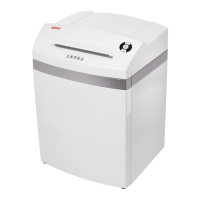
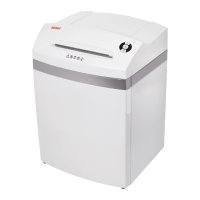
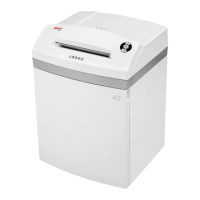
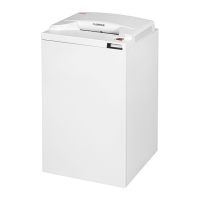
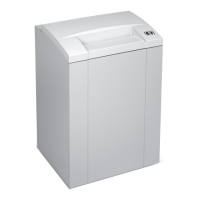
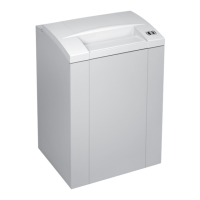
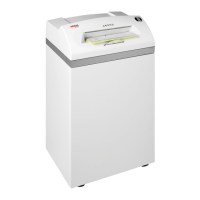
Intimus 45CC3 - User Manual

Intimus 45CC3
20 pages
Print Icon
To Next Page IconTo Next Page
Loading...
Before operating, please read the Operating Manual!
Before operating, please read the Operating Instructions!
Veuillez lire le mode d’emploi avant la mise en service!
Leer las instrucciones de uso antes de la puesta en servicio!
Antes de pôr a máquina em funcionamento leia as instruções de operação!
USA
GB
F
E
P
Operating Manual
Operating Instructions
Instructions d’opération
Instrucciones de uso
Instruções de Operação
(page 2-4)
(page 5-7)
(page 8-10)
(página 11-13)
(página 14-16)
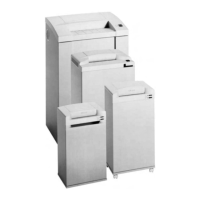
45SC2
45CC3
45CC4
45CC5
45CC6
60SC2
60CC3
60CC4
60CC5
60CC6
Type/Tipo:
278/279/295-4S + 278/279/295-4C + 278/279/295-2C + 278/279/295-1C + 278/279/295-1CF
90SC2
90CC3
90CC4
90CC5
90CC6
91402 2 05/11

Other manuals for Intimus 45CC3

Question and Answer IconNeed help?

Do you have a question about the Intimus 45CC3 and is the answer not in the manual?

Summary

Important Safety Notes

Initiation and Setup

Area of Application

Defines the intended use of the Intimus shredder for general documents.

Installation Instructions

Instructions for unpacking, connecting power, and proper machine placement.

Machine Controls and Indicators

Control Buttons and Displays (1-6)

Details on the machine's buttons and indicator lights for operation.

Additional Control Displays (7-10)

Explains indicators for oiling cutters, door status, motor overload, and full receptacle.

Operation Procedures and Features

Basic Operation Steps

Covers switching on, material feed, and using forward/reverse buttons.

Emptying the Receptacle

Procedure for safely removing and emptying the collected shredded material.

Dynamic Load Display

Explanation of colored light indicators showing motor load during shredding.

Troubleshooting and Malfunctions

Material Jam and Auto-Reverse

Explains the auto-reverse function when the machine jams due to excess material.

Light Barrier Issues

Covers light barrier errors when the door is open or machine is turned on.

Motor Protection and Electrical Faults

Details motor overload protection and how electrical faults are indicated.

Fault Check List

A checklist to troubleshoot common issues when the machine does not work.

Maintenance and Disposal

Cleaning Photocells

Instructions for cleaning the photocells to ensure proper operation.

Cutter Maintenance (Cross-Cut)

Procedure for oiling cross-cut cutters when the control display indicates it.

Energy Saving and Disposal

Information on automatic energy saving and proper machine disposal.

Technical Data

Special Accessories

Intimus 45CC3 Specifications

General IconGeneral
Shred TypeCross-Cut
Security LevelP-4
Cut Size4 x 40 mm
Shred Size4 x 40 mm
ShredsPaper, Credit cards, CDs

Related product manuals