4
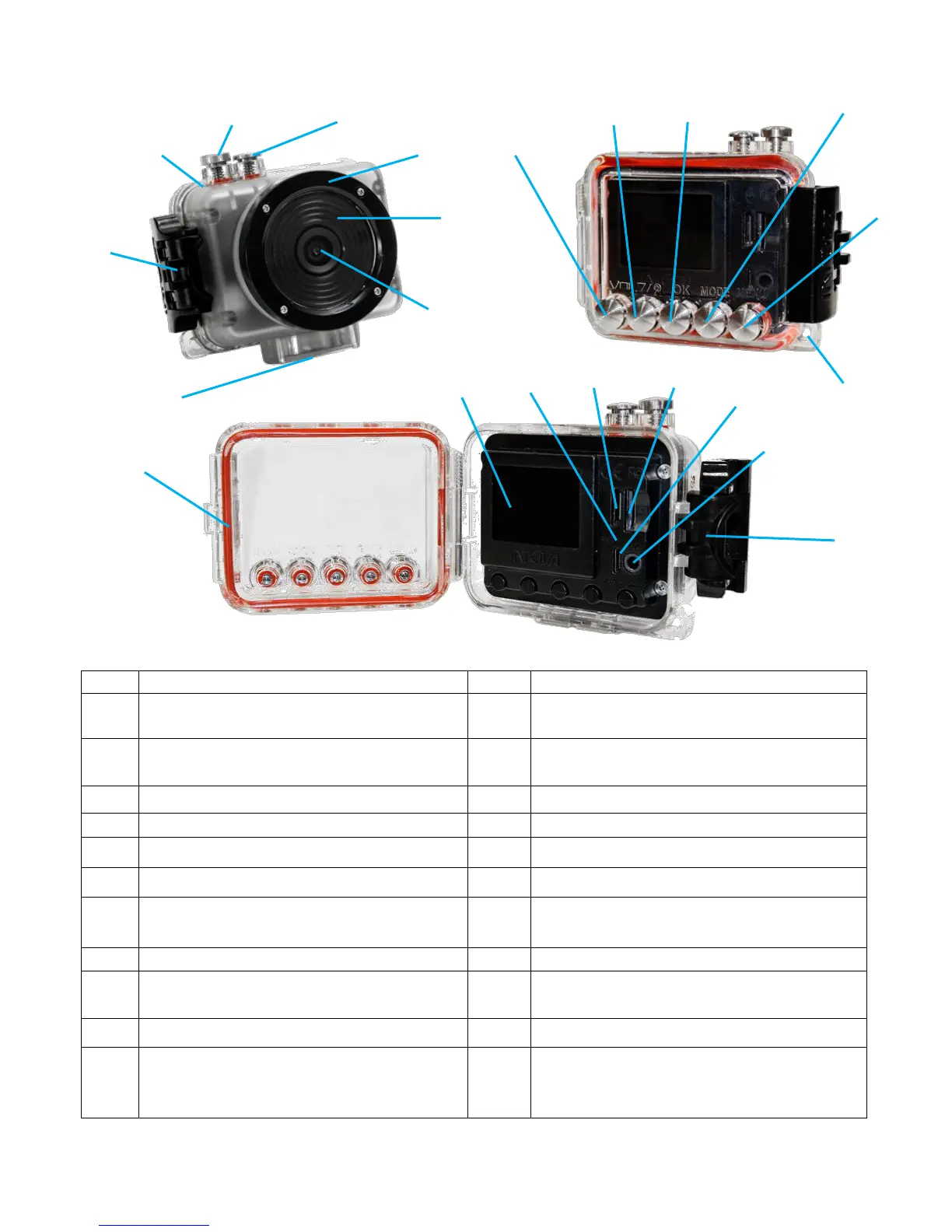
GETTING TO KNOW YOUR CAMERA
POWER ON/OFF, MODE, MENU
SCROLLING button
MENU button, DELETE file (press to be
able to delete file while in view mode)
Micro USB charging/downloading port
Video recording in progress light (blue),
Li-ion battery charging in progress (red)
High Definition TV out port
UP, ZOOM OUT and LCD ON/OFF
button
OK, Picture in Video (press to take
photo during video recording), and File
Viewing button
Thumb press backdoor opening system in
case of vacuum; see page 5.



 To Next Page