8
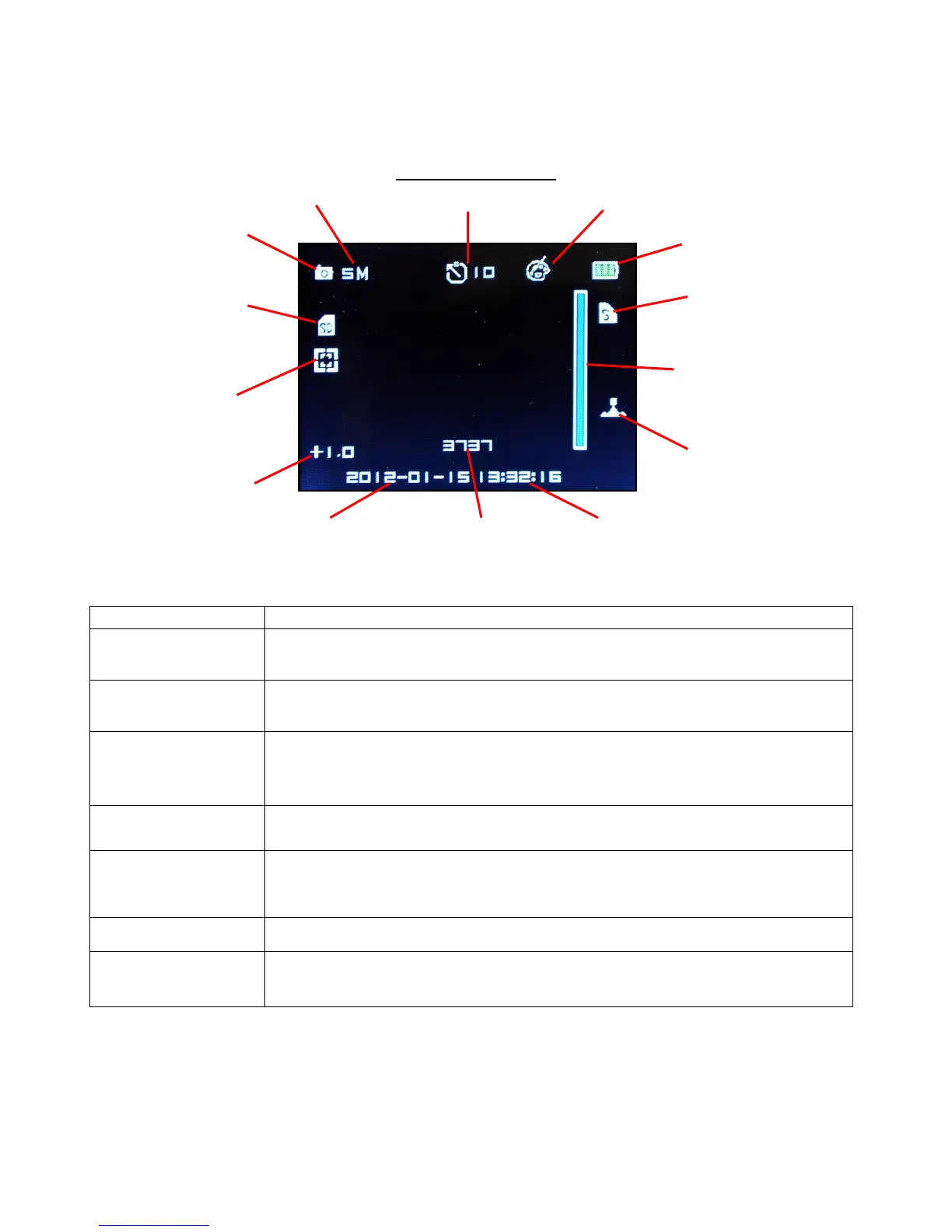
Photo Mode LCD Monitor Display
To switch to photo mode, press and quickly release MODE. To take a photo, hold camera steady
while pressing and releasing SHUTTER button.
Photo Mode Screen
Basic Operations of NOVA HD camera
BASIC OPERATION PROCEDURES
Press and hold for 2 seconds and release button to turn on or turn off
camera.
Press “SHUTTER” button to start and stop video recording or to take a
photo.
1) Press button to scroll up through sub-menu selections.
2) Press and hold to ZOOM OUT digital zoom.
3) LCD ON/OFF button.
1) Press button to scroll down through sub-menu selections.
2) Press and hold to ZOOM IN digital zoom.
1) Press button to confirm menu selection
2) During video recording, press button to take photos (Picture in Video).
3) In video or photo mode, press to go to view file(s) mode.
Press to switch between video and photo modes.
1) To bring up MENU, press and release button.
3) While in File Viewing mode, press button to DELETE single or all files.



 To Next Page