EasyManua.ls Logo

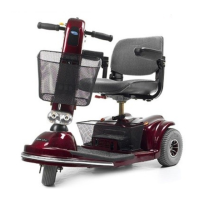
Invacare Lynx L-4 - User Manual

Invacare Lynx L-4
56 pages
Print Icon
To Next Page IconTo Next Page
Loading...
User Manual
DEALER: This manual MUST be given to the user of the
product.
USER:
BEFORE using this product, read this manual and save
for future reference.
Lynx™L-3 & Lynx
L-4 Scooters

Other manuals for Invacare Lynx L-4

Questions and Answers

  • F
    Frank BlankenshipJul 30, 2025
    What to do if my Invacare Scooter will not drive?
    • M
      Monica EverettJul 30, 2025
      If your Invacare Scooter won't drive, there are several potential causes: * The error brake release lever might be disengaged. Ensure it's engaged. * The batteries may need charging. Charge them as indicated in the manual. * The key might not be fully plugged in. Make sure it's fully inserted into the keyswitch. * The charger might be plugged in. Unplug it from the scooter. * The circuit breaker might have tripped. Reset it. * The battery connections could be loose. Check all connections and secure them.
  • R
    raymond76Aug 5, 2025
    Why is my Invacare Scooter not charging?
    • C
      Colleen NguyenAug 5, 2025
      If your Invacare Scooter batteries are not charging, consider the following possibilities: * The charger might be faulty. If so, replace it. * The battery connections could be loose. Inspect all connections and ensure they are secure. * There might be no current at the wall outlet. Try a different outlet. * There could be a bad connection on the charger, cable, plug, or internal wiring. In this case, contact a qualified technician.
  • L
    Lindsay RodriguezAug 11, 2025
    What to do if my Invacare Lynx L-4 battery indicator shows low charge too soon?
    • N
      Nicole GutierrezAug 11, 2025
      If the battery indicator on your Invacare Scooter shows a low charge level too soon after recharging, the charger may not be working correctly, so have it checked. Alternatively, the batteries may be weak and need replacement.
  • L
    Lauren MaldonadoAug 16, 2025
    How to increase the driving distance of my Invacare Lynx L-4 Scooter?
    • N
      Nathan GrahamAug 16, 2025
      If you're experiencing limited driving distance with your Invacare Scooter, it could be due to the battery not being charged long enough. Ensure you charge the batteries overnight or for at least eight hours between uses. It's also possible that the batteries are weak and unable to hold a charge, in which case they should be replaced.
  • S
    Sherry McmillanAug 23, 2025
    Why do the batteries of my Invacare Lynx L-4 Scooter draw excessive current when charging?
    • L
      lcervantesAug 23, 2025
      If the batteries of your Invacare Scooter draw excessive current when charging, it indicates battery failure. Replace the batteries.

Summary

GENERAL

Symbols

Defines signal words (DANGER, WARNING, CAUTION, IMPORTANT) used in the manual.

Limited Warranty

Details the warranty terms, limitations, and exclusions for the product.

SAFETY

General Safety & Operation Guidelines

Covers general safety rules, operation, setup, and transport precautions.

Storage, Electrical & Battery Safety

Details safe storage, electrical grounding, battery handling, and weight training precautions.

Electromagnetic Interference (EMI) Precautions

Explains potential EMI effects and precautions for powered scooters.

PRODUCT LABELING

Warning Labels & Capacity Information

Highlights key warning labels, weight capacity, and serial number location on the scooter.

Battery Wiring Label Details

Explains the battery wiring diagram and safety warnings associated with battery connections.

TECHNICAL DATA

Scooter Dimensions & Parameters

Lists dimensions and specifications for Lynx L-3 and L-4 scooters.

Performance & Weight Specifications

Provides details on wheel size, speed, incline capability, turning radius, and weight breakdown.

INSPECTION

Safety Inspection Checklists

Outlines recommended inspection procedures and frequency for safety and maintenance.

Periodic Inspection Schedules

Details initial, weekly, monthly, and periodic inspections for scooter components and safety.

OPERATING THE POWERED SCOOTER

Control Panel Functions

Explains the functions of the speed control, battery display, key, horn, throttle, and service indicator.

Safe Scooter Driving Procedures

Provides crucial safety warnings and operational guidance for driving the scooter.

Brake Release Lever Operation

Explains how to engage and disengage the brake release lever for driving or pushing the scooter.

SEAT AND ARMS

Seat & Arm Adjustment Safety Warnings

Provides safety warnings related to adjustments, repairs, and pinch points on the seat and arm components.

Seat Removal, Height & Swivel Adjustment

Guides on seat removal, height adjustment, and 90-degree swivel functionality.

Armrest Width & Pad Maintenance

Covers adjusting arm width and replacing armrest pads for comfort and maintenance.

TILLER ADJUSTMENT

Adjusting Tiller Angle and Lock

Provides instructions for adjusting and securing the tiller angle for comfortable operation.

WHEELS AND CASTERS

Drive Wheel Maintenance

Step-by-step guide for removing and installing the drive wheels.

Front Wheel Maintenance

Instructions for removing and installing the front wheel on the Lynx L-3 model.

BATTERIES

Battery Handling & Safety Precautions

Covers essential safety precautions and warnings when working with scooter batteries.

Recommended Battery Type & Charging

Specifies the recommended battery type (AGM) and charging guidelines.

Battery Box Removal & Installation

Details procedures for removing and installing the battery box.

Battery Removal & Installation

Detailed procedure for removing and installing the scooter batteries from the battery box.

Charging the Batteries

Instructions on how to properly charge the scooter batteries using the provided charger.

TRANSPORTING

Scooter Disassembly for Transport

Step-by-step guide for disassembling the scooter for easier transportation.

Scooter Reassembly After Transport

Instructions for reassembling the scooter after transportation.

ACCESSORIES

Accessory Tube Installation;Removal

Details how to install and remove the accessory tube for attaching other accessories.

Crutch;Cane Holder Installation;Removal

Guides on attaching and detaching the crutch or cane holder.

Safety Flag Installation;Removal

Instructions for installing and removing the safety flag.

Walker Holder Installation;Use

Covers installing, removing, and using the walker holder.

Rear Mounted Basket Installation;Removal

Provides steps for attaching and detaching the rear mounted basket.

MAINTENANCE

Suggested Maintenance Procedures

Outlines recommended regular maintenance tasks to keep the scooter in good condition.

TROUBLESHOOTING

General Troubleshooting Guide

Lists common symptoms, probable causes, and solutions for scooter issues.

Service Indicator Error Codes

Explains the meaning of different flash codes from the service indicator for diagnostics.

Resetting the Circuit Breaker

Instructions on how to reset the scooter's circuit breaker if it trips.

Invacare Lynx L-4 Specifications

General IconGeneral
Drive SystemRear-wheel drive
BrakesElectromagnetic
Weight Capacity300 lbs
Seat Width17 inches
Ground Clearance2 inches
Seat Depth16 inches
Tire TypeSolid

Related product manuals