Part No 1114832 7 Reliant Scale RLS6
7. PresstheLOCK/UNLOCKkey.ThedisplayreadsUNLD.
8. PresstheZEROkey.ThedisplayreadsLOA D.
9. Hang200poundsofcalibratedweightfromthescaleandpresstheZEROkey.
10. PresstheZEROkey.Thedi splayreadsDONE.
11. Removetheweight.PresstheLOCK/UNLOCKkey.
NOTE:Thescaleisnowintestmode.
12. PresstheZEROkey.Thedi splayreads0.00lb.
NOTE:Thescalewillnowbeinnormaloperation.
FIGURE 5 Calibrate the Reliant Scale
Troubleshooting
Display Codes
CalibrationRequired‐Indicatesimproperstoredcalibrationdata,calibrationisnecessary.
OverCapacity‐Indicatesaweightexceedingthecapacityhasbeenloadedonthescale.
SYMPTOM PROBABLE CAUSE SOLUTIONS
Unit does NOT work properly. Battery failure. Check battery. Replace if necessary.
Battery has been replaced and unit
still does NOT work properly.
Contact Invacare for Service at
1-800-333-6900.
CAL Button
BACK VIEW OF THE SCALE DISPLAY
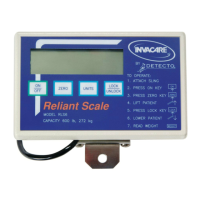
FRONT VIEW OF SCALE DISPLAY
Display Window


 To Next Page