Need help?
Do you have a question about the Invenco G6-400 and is the answer not in the manual?
Specifies the model and electrical rating of the G6-400 terminal, including voltage and current.
Details the suitable environments and locations for installing the G6-400 Outdoor Payment Terminal.
Outlines essential safety measures and considerations before starting installation or maintenance.
Provides critical safety steps for accessing fuel pumps, including evacuation and electrical shut-off.
Emphasizes compliance with OSH, national, state, and local regulations for safe operation.
Stresses the importance of using only genuine Invenco supplied replacement parts.
Explains the meaning of warning symbols and words used throughout the guide for hazard identification.
Details precautions to prevent explosions and fires, especially in fuel station environments.
Prohibits open flames on fuel station forecourts due to ignition risks.
Advises against sparks and smoking in hazardous areas to prevent ignition.
Provides guidelines and best practices for working alone safely, including assistance and certifications.
Details essential safety practices when working with electrical components and systems.
Advises on handling potentially hazardous materials found within electronic enclosures.
Provides instructions on what information to give emergency personnel in case of an accident.
Outlines copyright and usage restrictions for Invenco's software and documentation.
Lists certifications for operating the G6-400 in hazardous locations, including CSA and UL standards.
Details ATEX certification for use in environments with potentially explosive atmospheres.
Covers safety certifications for general use in ordinary locations based on ICT equipment standards.
Specifies safety certifications related to retrofit assemblies for the G6-400.
Lists Electromagnetic Compatibility (EMC) standards and certifications for radio and interference.
Covers RoHS compliance and regulations regarding hazardous substances in electrical equipment.
Details EMV certifications for various transaction types and payment schemes.
Confirms compliance with PCI PTS POI PCI 6.x standards for payment security.
States compliance with European Directives required for the CE mark.
Confirms compliance with UK Conformity Assessments for the UKCA mark.
Confirms compliance with Australia and New Zealand RCM mark requirements.
Outlines FCC rules and conditions for device operation, including interference guidelines.
Details compliance with Industry Canada's license-exempt RSS standards.
Specifies suitability for use in Class I, Division 2 hazardous locations and provides related warnings.
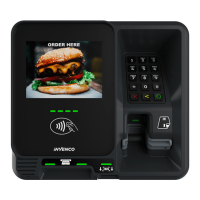
Identifies and illustrates the various features on the front of the G6-400 terminal.
Lists items included in the product packaging, such as a printer chute plug.
Details the specifications and recommended suppliers for printer consumables like thermal paper.
Guides on installing a new OPT, including enclosure standards for fire, ATEX, security, and power/data.
Addresses accessibility requirements for disabled persons and the optional ADA kit.
Specifies that enclosure materials must be durable and suitable for the intended location.
Provides instructions for creating a door cut-out, including dimensions and edge finishing.
Details the IP66 rating and requirements for water sealing and drainage for the G6-400 enclosure.
Advises on protecting the unit from weather and managing condensation issues.
Recommends installing the G6-400 in an upright (vertical) position.
Provides guidance on enclosure and door hinging, recommending right-side hinging.
Illustrates side hinging options for models with or without an internal printer.
Shows top or bottom hinging options for installations where side hinging is not feasible.
Lists necessary tools and environmental considerations for mounting, including safety warnings.
Step-by-step instructions for unpacking and initially installing the G6-400 into a new enclosure.
Details the procedure for attaching the rubber gasket to the back of the G6-400 unit.
Explains the procedure for connecting the protective earth to the G6-400 for safety.
Details how to connect the Ethernet cable to the correct port on the rear of the G6-400.
Describes how to connect the low-voltage DC power cables to the G6-400.
Guides through the initial power-on sequence and standard start-up screens displayed by the G6-400.
Explains how to access and modify the G6-400's configuration settings after initial setup.
Provides instructions for daily cleaning and precautions to avoid damaging the G6-400's surfaces.
Advises on regularly checking the G6-400 for signs of tampering or hidden surveillance devices.
Guides users on performing additional security inspections of G6-400 components.
Outlines the procedure for reporting suspected tampering and contacting relevant personnel.
Details how to inspect the G6-400 keypad for signs of tampering or overlay.
Provides checks for the card reader slot and contactless reader to ensure they are secure.
Step-by-step instructions for safely removing the G6-400 terminal from its installation.
Guides on reinstalling the G6-400, including gasket attachment and cable connections.
Presents diagrams showing the front dimensions of the G6-400 terminal.
 General
| Connectivity | Wi-Fi, Bluetooth |
|---|---|
| Operating System | Linux |
| Payment Types | Credit Cards, Debit Cards, NFC Contactless Payments |
| Security | PCI PTS 5.x |
| Ports | Ethernet, Serial, USB |
| Battery | Rechargeable Li-ion |


 To Next Page