the stimulus channel permanently active, as long as the
stimulus button (31) is not depressed.
When pressed and held, allows operator-to-patient
communication.
Allows patient-to-operator communication.
Switches the masking signal on or off
For audiometric tests, stores the current threshold level.
During acoustic reflex examinations, can be pressed to
run (or repeat) the test relative to the box currently
selected, without having to repeat the entire test.
During audiometric tests, switches on the stimulus
signal.
During reflex tests, used for selection of the stimulus to
be presented to the patient.
During pure tone audiometry, used to select the previous
or next frequency. During speech audiometry, used to
count the words the patient is either able to recognize
( , 33) or unable to recognize ( , 32)
Regulates the output volume or scrolls a list of settings.
Lights up whenever the patient presses the response
button.
REMOTE CONTROL UNIT (RCU) AND PROBE STATUS
The remote control unit (RCU) designed for use with Flute and Viola
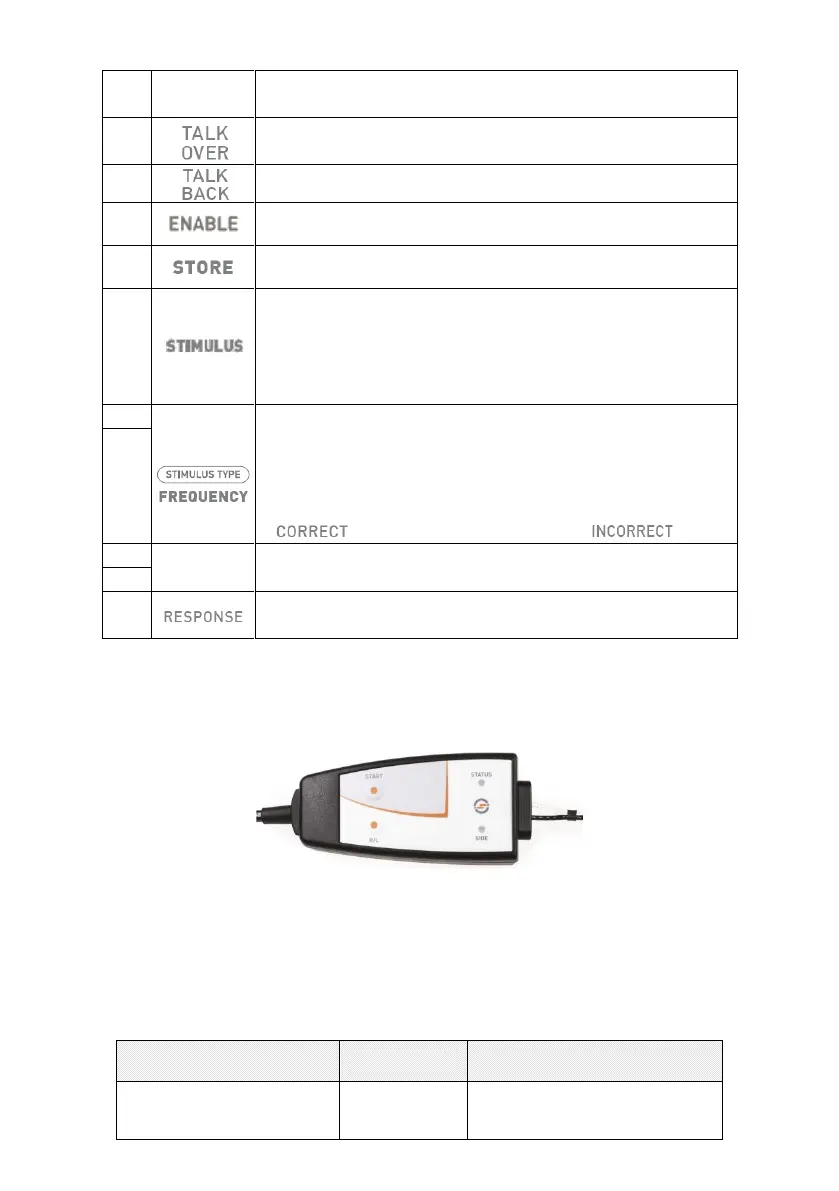
middle ear analyzers is illustrated below.
There are two buttons on the RCU: the first (START) has the same function
as the START/STOP button on the keyboard; the second button can be
pressed to select the side on which the stimulus is presented.
There are also two Leds, one of which indicates the ear being tested (red:
right ear; blue: left ear), the other indicating the status of the probe. This
information is also shown on the display of the instrument, and can be
summarized in the table below.
The examination is ready to
start


 To Next Page
 Loading...