EasyManua.ls Logo

Inventis TIMPANI - User Manual

Inventis TIMPANI
60 pages
Print Icon
To Next Page IconTo Next Page
Loading...
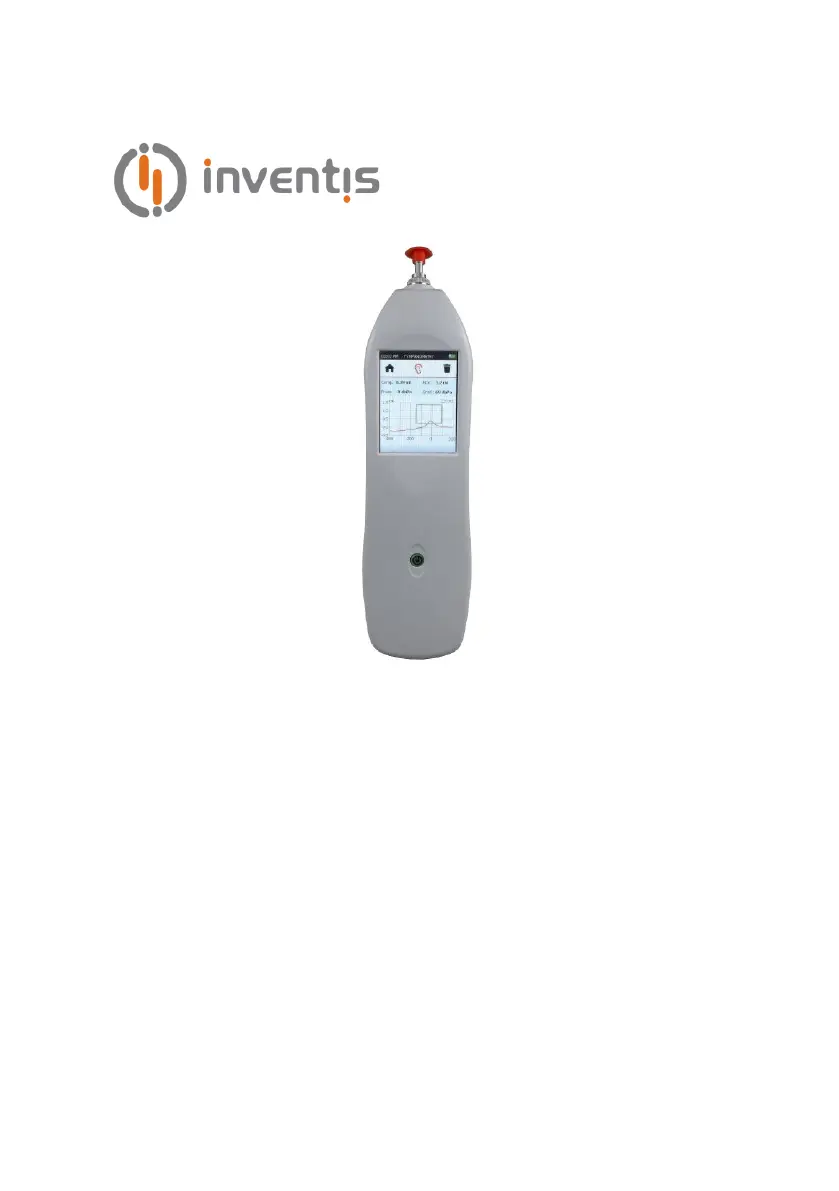
TYMPANOMETER
TIMPANI
USER MANUAL

Questions and Answers

  • G
    George RamseySep 23, 2025
    What does 'Serious error' mean on Inventis Measuring Instruments?
    • T
      Tracy PachecoSep 23, 2025
      If you receive a “Serious error” message on your Inventis Measuring Instruments, restart the instrument. If the problem persists, contact the Inventis service department.
  • N
    Nicholas DrakeAug 23, 2025
    Why is the battery not recharging on my Inventis TIMPANI Medical Equipment?
    • S
      Sharon KrauseAug 23, 2025
      If your Inventis Medical Equipment battery isn't recharging, start by changing the USB cable (using a USB A – mini B standard cable). Also, check the positioning of the instrument in the charging base and ensure the contacts are clean. If problems persist, the adapter or the battery itself could be damaged, requiring you to contact the Inventis service department or dealer.
  • J
    John RayAug 25, 2025
    What to do if Inventis TIMPANI Medical Equipment shows 'Pressure loss' message?
    • M
      Melissa BooneAug 25, 2025
      If you receive a 'Pressure loss' message on your Inventis Medical Equipment, ensure the probe tip is properly tightened. Also, check that the probe is correctly inserted into the ear and that you are using a suitable earpiece. Try changing the earpiece and adjusting the angle of the probe in the ear.
  • J
    John WalkerAug 27, 2025
    How to fix compliance measurements affected by noise on Inventis TIMPANI?
    • C
      Carla BrayAug 27, 2025
      To address compliance measurements affected by noise on your Inventis Medical Equipment, reposition the probe to minimize vibrations. Additionally, check the probe tip holes; if blocked, unscrew the probe tip and clean inside.
  • P
    payneclaytonAug 27, 2025
    Why does the date and time prompt appear on my Inventis Medical Equipment?
    • S
      Savannah RichardsonAug 28, 2025
      If the Inventis Medical Equipment prompts for the date and time upon powering up, this indicates an internal battery failure. You should contact the Inventis service department or dealer to have the battery replaced.
  • E
    Eric BraySep 18, 2025
    What does 'Hardware error' mean on Inventis Measuring Instruments?
    • P
      petersnyderSep 18, 2025
      If you receive a “Hardware error” message on your Inventis Measuring Instruments, press OK to continue. If the problem persists, contact the Inventis service department.
  • D
    Dustin TownsendSep 15, 2025
    What to do if the display is blank on my Inventis Measuring Instruments?
    • D
      Dr. Marc ChavezSep 15, 2025
      If the display on your Inventis Measuring Instruments remains blank but the LED is on, the instrument might be in stand-by mode. Touch the screen or press the power button.
  • C
    Christopher HallSep 16, 2025
    Why is there no signal from the transducer on my Inventis Measuring Instruments?
    • V
      vanessa62Sep 16, 2025
      If you're not getting a signal from a transducer on your Inventis Measuring Instruments, first check that the transducer is connected properly.
  • B
    barnettrobertSep 6, 2025
    Why is the battery on my Inventis Measuring Instruments not recharging?
    • M
      Michael CooperSep 6, 2025
      If the battery of your Inventis Measuring Instruments is not recharging, there are several potential causes. The USB cable could be damaged, so try changing it. The instrument might not be positioned correctly in the docking station; in this case, check the positioning of the instrument, ensure the contacts are clean, and verify the connections.
  • L
    Lisa HillSep 3, 2025
    What to do if there is no signal from a transducer on Inventis TIMPANI Medical Equipment?
    • B
      Breanna WrightSep 3, 2025
      If there is no signal from a transducer on your Inventis Medical Equipment, ensure the transducer is connected to the correct output. If it is correctly connected, the transducer may be damaged, and you should contact the Inventis service department or dealer.

Inventis TIMPANI Specifications

General IconGeneral
TypeTympanometer
Frequency226 Hz
Ipsilateral Reflex Frequencies500, 1000, 2000, 4000 Hz
Contralateral Reflex Frequencies500, 1000, 2000, 4000 Hz
Probe Tone Frequency226 Hz
Power Supply100-240 V AC, 50/60 Hz
DisplayColor LCD

Related product manuals