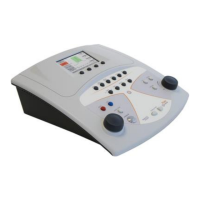
This chapter describes the possibility of performing tympanometry tests and
acoustic reflex tests in sequence, given activation of the reflex license (full
reflex license or 1000 Hz-only reflex license).
To run the tympanometry and acoustic reflex test sequence, simply press the
relative button on the main screen: first, a tympanometry test will be
conducted as described in the previous chapter, and when this has been
completed, the acoustic reflex test will start automatically.
The acoustic reflex test setup menu allows customization of various
parameters relating to the test, in particular:
- Frequency selection: the available stimulus frequencies can be
selected individually: 0.5 kHz, 1 kHz, 2 kHz, 4 kHz. Default value:
all frequencies enabled.
- Test mode: sets the mode in which the test is conducted, namely
fixed intensity or threshold search; Default value: threshold search.
- Test configuration: in fixed intensity mode, the level of the
stimulus can be selected in dB HL. In threshold search mode, the
initial and final level can be selected, also the rate of variation, in
steps of 5 or 10 dB. Default value: fixed intensity, 90 dB HL,
threshold search 75-95 dB, variation step 5 dB.
- Reflex sensitivity: sets the sensitivity with which identification of
the reflex (variation of compliance) occurs, options normal (0.04
ml) and strong (0.06 ml). Default value: normal (0.04 ml).
- Data polarity:determines the method of representing data in the
graph. Selecting negative polarity, the reduction in compliance
caused by the reflex is represented as a downward movement of
the reflex curve; selecting positive, the reduction is represented as
an upward movement of the curve. Default value: negative.


 To Next Page