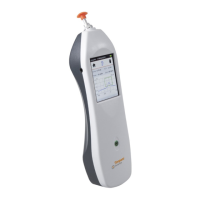
In the event of the probe being broken or malfunctioning, contact an
Inventis service technician. The replacement of the probe must be entrusted
exclusively to Inventis or to a service technician authorized by Inventis. If
the probe is replaced, it must be calibrated before being used with the
instrument.
CLEANING THE INSTRUMENT
Clean the instrument using a lint-free soft cloth moistened with water and
mild detergent; if it is to be sanitized, moisten the cloth with a 3% solution
of hydrogen peroxide.
REPLACING THE BATTERY
Should the instrument appear to be giving much shorter endurance than
expected (see
Technical Specifications) even when fully recharged, it may be that the
battery is damaged or spent.
Purchase a new battery from an Inventis-approved dealer; proceed to
remove the existing battery from the instrument as described below:
- Switch off the instrument and disconnect it from the USB cable;
- Position it face down (display directed downwards) on a soft
surface;
- Undo the screw retaining the flap of the battery compartment;
- Remove the battery. Separate the connectors without tugging; ease
apart using tweezers.
- Fit the connector of the new battery;
- Position the lead inside the compartment below the screw and
locate the new battery in its housing, then close the flap and secure
with the retaining screw.
Run a full recharge cycle before using the instrument.


 To Next Page