EasyManua.ls Logo

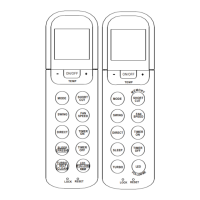
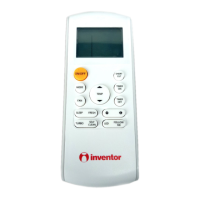
INVENTOR RG36A/BGEF - User Manual

INVENTOR RG36A/BGEF
25 pages
Print Icon
To Next Page IconTo Next Page
Loading...
Wall Mounted Unit
Σας ευχαριστούμε που επιλέξατε τη
μονάδα κλιματισμού της INVENTOR. Για
τη σωστή χρήση της μονάδας.
παρακαλούμε διαβάστε προσεκτικά το
παρόν εγχειρίδιο και φυλάξτε το για
αναφορά στο μέλλον.
Thank you for choosing INVENTOR air
conditioning system. For correct use of
this unit, please read this manual
carefully and keep it for future
reference.
Μοντέλα:
English/Ελληνικά/ Română
Ασύρματο Τηλεχειριστήριο
Επιτοίχιας Κλιματιστικής Μονάδας
Εγχειρίδιο Χρήσης
Owner’s Manual
A3MVI-10/A3MVO-10
A3MVI-13/A3MVO-13
A2MVI-18/A2MVO-18
A2MVI-24/A2MVO-24
P4MVI-09/P4MVO-09
P4MVI-12/P4MVO-12
P4MVI-18/P4MVO-18
P4MVI-24/P4MVO-24
A3MVI-10WFR/A3MVO-10
A3MVI-13WFR/A3MVO-13
A2MVI-18WFR/A2MVO-18
A2MVI-24WFR/A2MVO-24
P4MVI-09WFR/P4MVO-09
P4MVI-12WFR/P4MVO-12
P4MVI-18WFR/P4MVO-18
P4MVI-24WFR/P4MVO-24
Question and Answer IconNeed help?

Do you have a question about the INVENTOR RG36A/BGEF and is the answer not in the manual?

INVENTOR RG36A/BGEF Specifications

General IconGeneral
BrandINVENTOR
ModelRG36A/BGEF
CategoryRemote Control
LanguageEnglish

Summary

Remote Controller Specifications

Controller Specifications and Features

Details controller models, voltage, signal range, environment, and performance features.

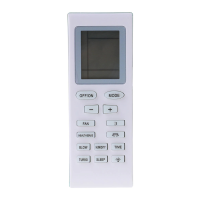
Function Buttons

Basic Operation and Mode Selection

ON/OFF, MODE, SWING, DIRECT buttons for core unit control and mode settings.

Special Function Activation

SLEEP/FRESH and TURBO/SELF CLEAN buttons for enhanced operational modes.

Settings and Adjustment Buttons

RESET, UP, DOWN, SHORTCUT, FAN SPEED, TIMER ON/OFF for adjustments.

LCD Indicators

Transmission and Mode Indicators

Displays signal transmission status and current operation mode (Auto, Cool, Dry, Heat, Fan).

Temperature, Timer, and Fan Speed Displays

Shows set temperature, timer settings, and fan speed levels (Auto, Low, Med, High).

Status and Function Indicators

Indicates ON/OFF status, Lock mode, Follow Me, and Sleep operation.

How to Use the Buttons

Basic Operation Modes

Instructions for Auto, Cooling/Heating/Fan, and Dehumidifying operations.

Airflow Direction Adjustment

Guidance on using SWING and DIRECT buttons for airflow control.

Timer Operation

Setting Auto-On and Auto-Off Timers

Detailed steps for setting auto-on and auto-off timer functions.

Combined and Sequential Timer Settings

Instructions for setting both ON and OFF timers simultaneously.

Additional Functions

Sleep and Fresh Function

Explains how to activate Sleep mode for comfort and Fresh function for air purification.

LED and Follow Me Function

Details on controlling LED display and using the Follow Me temperature sensing feature.

Turbo and Self Clean Function

Instructions for activating Turbo for rapid cooling/heating and Self Clean for evaporator maintenance.

Related product manuals