invalidates the warranty. You must not adjust or
repair the computer yourself or its correct function
will no longer be guaranteed.
• This device is intended for blood-pressure/pulse
measurement on upper arms of adults.
• This instrument is not intended for commercial or
clinical use.
• Never immerse the blood pressure monitor into
water or any other liquid.
• If you have further questions about using our
devices, please contact your dealer.
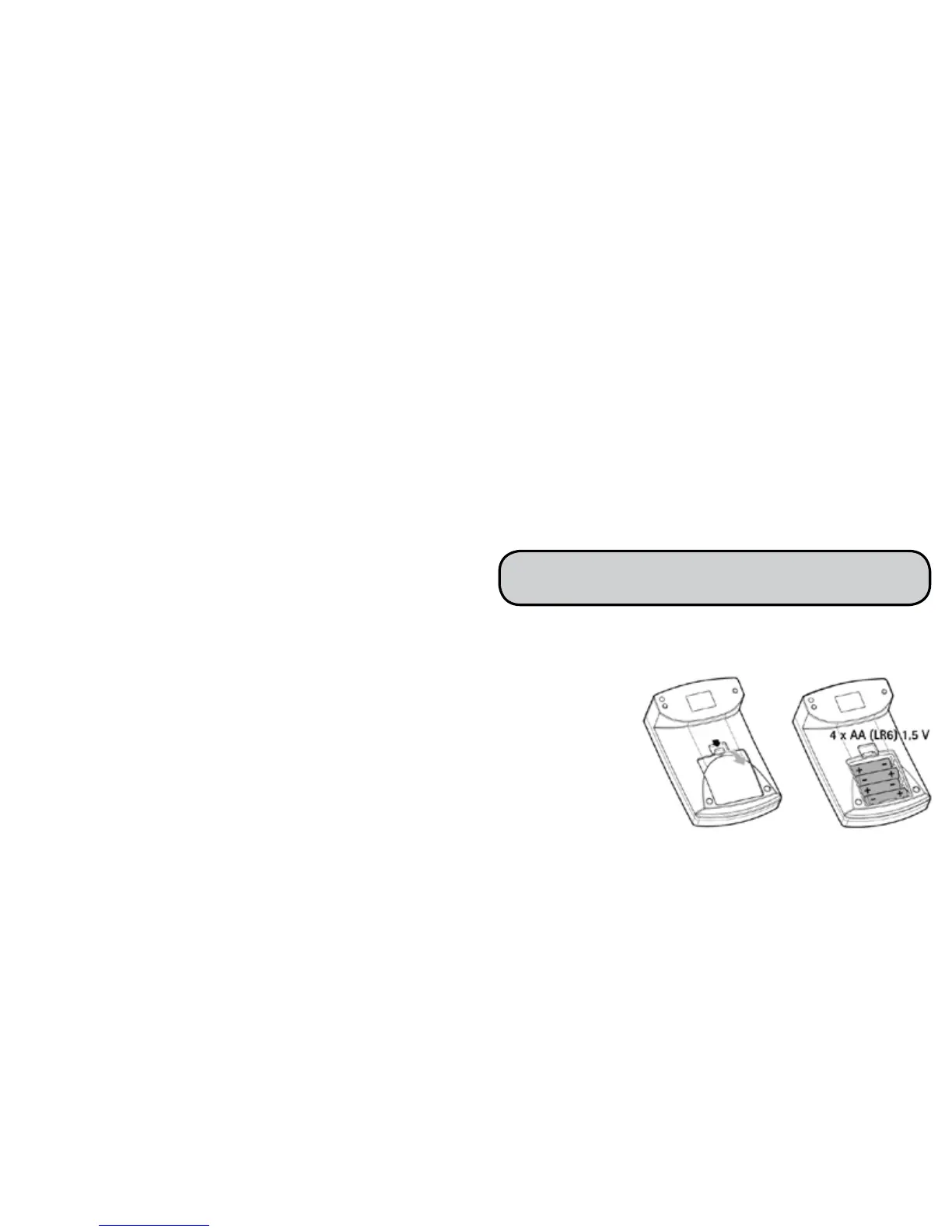
• Remove the battery cover from the back of the
computer. Insert 4 alcaline-batteries, type AA, 1,5
Volt, making
absolutely sure
that you insert
them with the
correct polarity
as marked.
Never use
rechargeable
batteries.
• Replace the battery cover carefully. Now you can set
the date and time.
• The blood pressure computer consists of precision-
made electronic components. The measuring
accuracy and life of the computer depend on the
care with which it is treated:
- Protect the computer from shocks and be careful
not to drop it,
- protect it against moisture, dirt, wide uctuations
in temperature and the direct rays of the sun,
- only ever use the cuffs provided with the monitor
or original replacement cuffs. Otherwise incorrect
results will be recorded.
- to prevent any hazard as a result of the cuff tube,
keep the tube out of children’s reach and never put
it round your neck.
- do not use it in areas where there are strong
electromagnetic elds, i.e. keep it away from
transmitters and mobile phones.
• Do not press any buttons without the cuff tted.
• Use the computer only on persons with an upper arm
circumference that is within the range recommend
for this appliance. As a rule, these are adults.
for whose wrist size the computer is intended.
• If the computer is not used for a lengthy period of
time, it is advisable to remove the batteries.
• Keep the batteries out of reach of children. Batteries
do not belong in domestic waste.
• Dispose of batteries at the appropriate collection
points.
• Do not open the computer. Failure to comply
30
3 | INSERTING/ CHANGING BATTERIES



 To Next Page