13
Operation guide
1. After putting through the power, press " " button on remote controller to
turn on the air conditioner.
2. Press " " button to select your required mode: AUTO, COOL, DRY, FAN,
HEAT.
3. Press "+" or "-" button to set your required temperature. (Temperature can’t be
adjusted under auto mode).
4. Press " " button to set your required fan speed: auto, low, medium and
high speed.
5. Press " " button to select fan blowing angle.
ON/OFF
MODE
FAN
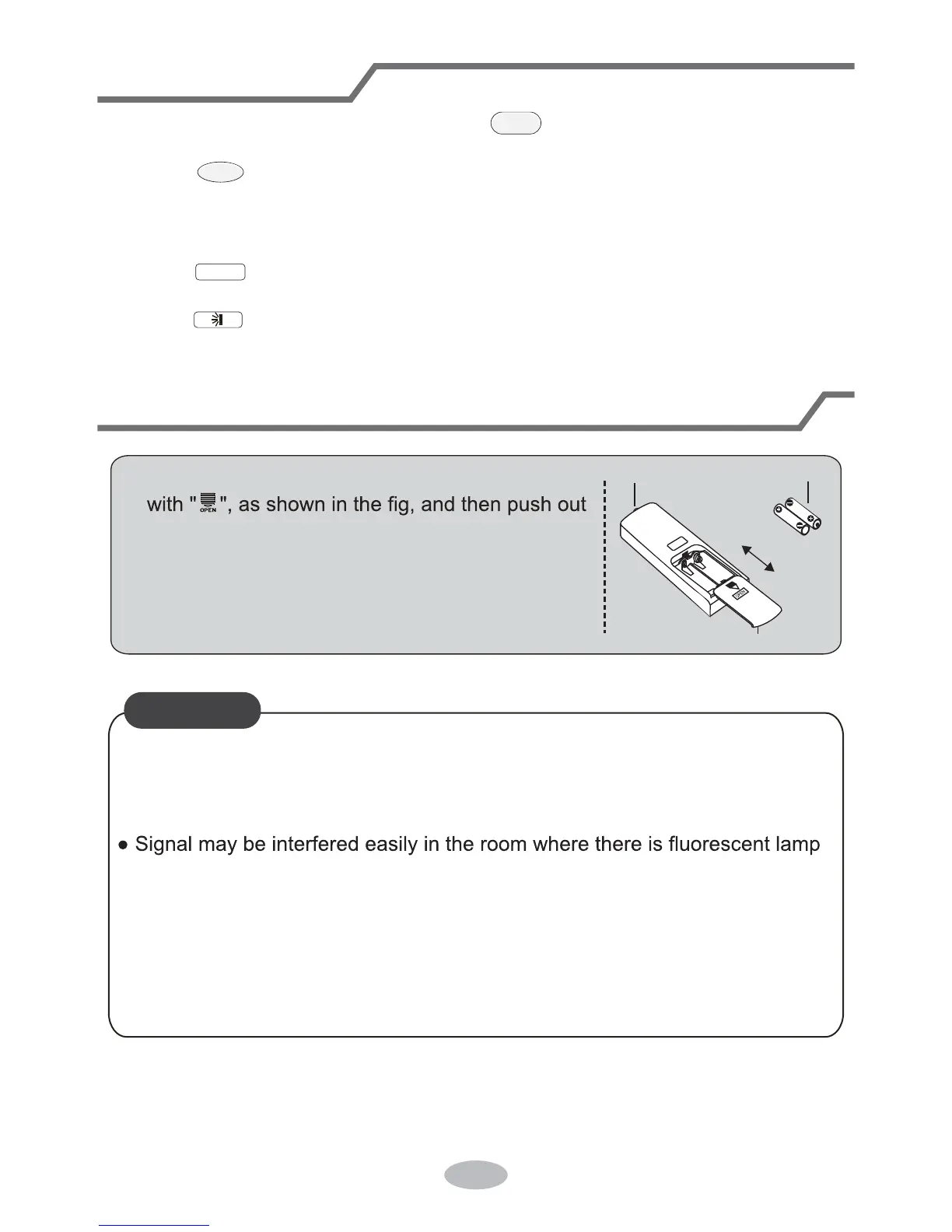
Replacement of batteries in remote controller
1. Press the back side of remote controller marked
the cover of battery box along the arrow direction.
2. Replace two 7# (AAA 1.5V) dry batteries, and
make sure the position of "+" polar and "-" polar
are correct.
3. Reinstall the cover of battery box.
signal sender battery
Cover of battery box
remove
reinstall
Ɣ'XULQJRSHUDWLRQSRLQWWKHUHPRWHFRQWUROVLJQDOVHQGHUDWWKHUHFHLYLQJ
window on indoor unit.
Ɣ The distance between signal sender and receiving window should be no
more than 26.2ft (8m), and there should be no obstacles between them.
or wireless telephone; remote controller should be close to indoor unit during
operation.
Ɣ5HSODFHQHZEDWWHULHVRIWKHVDPHPRGHOZKHQUHSODFHPHQWLVUHTXLUHG
Ɣ:KHQ\RXGRQ¶WXVHUHPRWHFRQWUROOHUIRUDORQJWLPHSOHDVHWDNHRXWWKH
batteries.
Ɣ,IWKHGLVSOD\RQUHPRWHFRQWUROOHULVIX]]\RUWKHUH¶s no display, please
replace batteries.
NOTICE


 To Next Page