2 7-Inch Digital Picture Frame User’s Guide
7-Inch Digital Picture Frame User’s Guide 11
GETTING STARTED
TROUBLESHOOTING
Trouble Probable Cause Suggested Remedy
The Digital Picture Frame
doesn’t power on.
The AC adapter connector is
not inserted fully into the
frame.
When you connect the AC
adapter to the frame and power
up the unit, the “Slideshow”
should display. Even without a
memory card installed, the
pictures installed on the internal
memory should display. If the
screen remains blank
• Make sure the AC adapter
connector is fully inserted into
the frame.
• If you plug the AC adapter
into a “switched” wall outlet,
make sure the switch is
turned on.
The screen is blank The memory card is not
installed correctly.
Make sure the memory card is
properly installed (with the label
facing the front of the frame).
Make sure you are using a
supported memory card.
No photos on the
memory card
The memory card is not
installed correctly.
Make sure the memory card is
properly installed (with the label
facing the front of the frame).
Make sure you are using a
supported memory card.
One or more photos
won’t display
The photos are saved in an
incompatible file format.
Make sure there is at least one
supported (JPEG) photo file on
the memory card.
PACKAGE CONTENTS
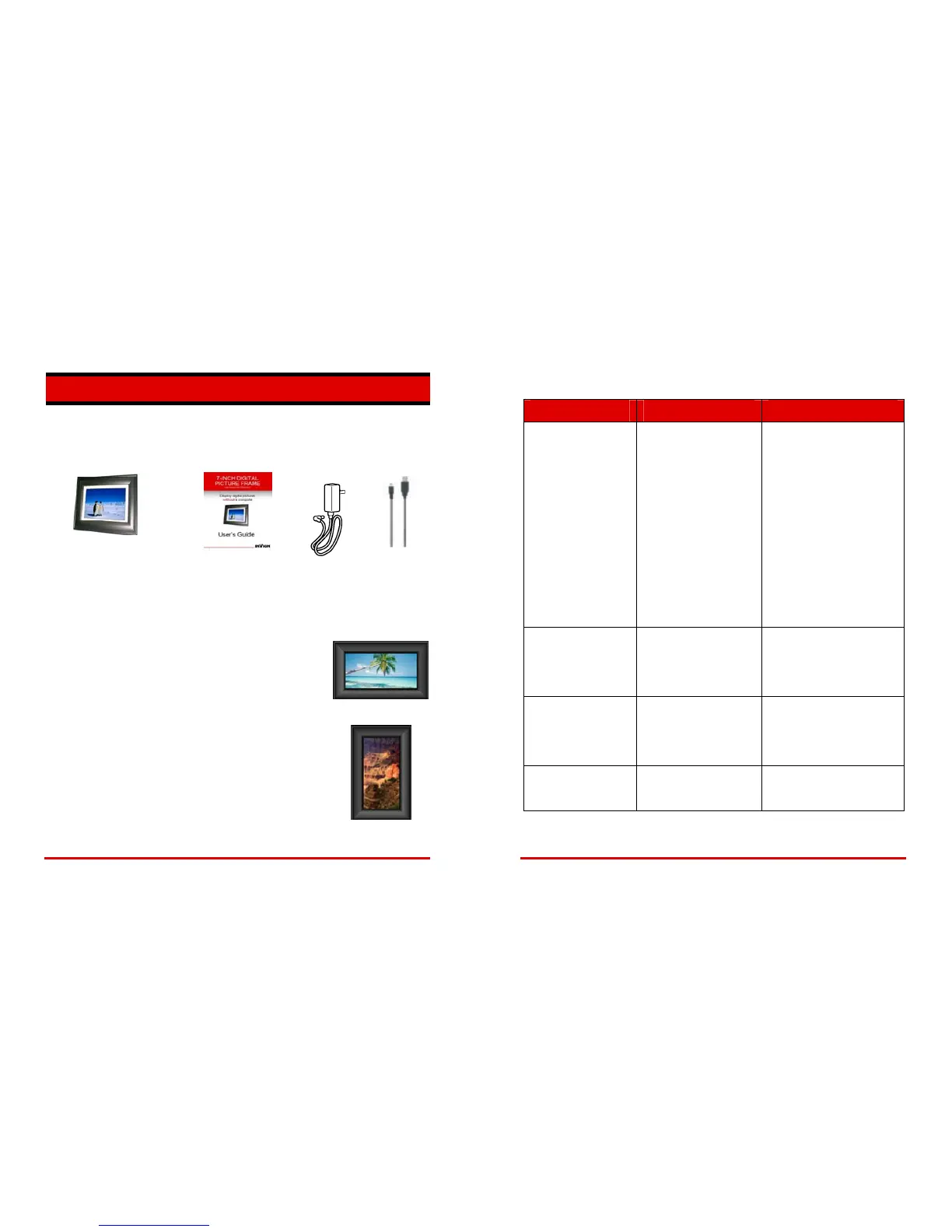
Your Digital Picture Frame includes the following items:
Digital Picture Frame
with Support Bracket
User’s Guide
AC Adapter USB Cable
UNPACKING, ASSEMBLY AND POSITIONING
Your Digital Picture Frame is easy to assemble, easy to install
and easy to use!
• Remove the Digital Picture Frame, support bracket and AC
adapter from the carton.
Horizontal Display
• Install the support bracket on the back of the frame. Simply
align the arrow on the bracket with the mating arrow on the
back of the frame, then press into place.
You can position the frame for horizontal or vertical display.
Horizontal display is recommended if you plan to use the
“Slideshow” feature.
• Plug the AC adapter into the POWER connector in the side
of the frame, then plug the adapter into a wall outlet.
Vertical Display


 To Next Page