EasyManua.ls Logo

INVISICLEAN Claro IC-4524 - User Manual

INVISICLEAN Claro IC-4524
20 pages
Print Icon
To Next Page IconTo Next Page
Loading...
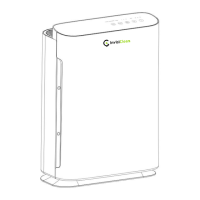
InvisiClean Claro 4-in-1 True HEPA Air Purifier
Model No.: IC-4524
If you have any questions, please email us at Support@InvisiClean.com or call us
at 818-787-1188 Monday – Friday 9AM-5PM Pacific time for immediate assistance.
Question and Answer IconNeed help?

Do you have a question about the INVISICLEAN Claro IC-4524 and is the answer not in the manual?

Summary

Safety Precautions

General Safety Guidelines

Essential precautions for safe operation, including electrical hazards and child supervision.

Usage Restrictions and Warnings

Covers prohibitions like not using outdoors, not blocking vents, and avoiding unauthorized repairs.

Parts Diagram

Controls and Usage

Control Panel Layout

Diagram and labels for the air purifier's control panel buttons.

Operating Instructions

Step-by-step guide on using the power, timer, UV, ionizer, and fan speed functions.

Features and Functions

LCD Display Functionality

Details the LCD screen's ability to show PM2.5 levels, temperature, and humidity.

Fan Modes and Speeds

Explains the availability of three fan speeds, turbo, auto, and sleep modes.

Filtration and Purification Systems

Highlights the True HEPA filtration, UV-C light, and ionizer capabilities.

Maintenance and Filter Replacement

Exterior Cleaning

Instructions for cleaning the unit's exterior with a soft cloth.

Pre-filter Maintenance

Guidance on cleaning or replacing the pre-filter using a vacuum cleaner.

True HEPA Filter Replacement

Procedure for replacing the True HEPA filter every 6-12 months.

UV Bulb Replacement

Step-by-step instructions for replacing the UV bulb when the indicator light blinks.

Troubleshooting Common Issues

Unit Not Powering On

Solutions for when the air purifier does not turn on.

Noisy Operation

Troubleshooting steps for unusual or noisy sounds from the unit.

Unit On With No Lights

Addresses the issue of the unit operating without any lights illuminated.

Insufficient Air Flow

Diagnosing and resolving problems related to reduced air purification flow.

Frequently Asked Questions (FAQ)

Ionizer;Filter Reset Light Blinking

Explanation for the filter reset indicator light and how to reset it.

UV;UV Reset Light Blinking

Reason for the UV reset indicator light and its reset procedure.

Filter Replacement Frequency

Guidance on how often to check and replace air filters.

UV Bulb Replacement Schedule

Recommendation for the yearly replacement of the UV bulb.

Checking UV Lamp Operation

How to visually confirm if the UV lamp is functioning correctly.

Understanding PM2.5

Explanation of what PM2.5 is and its measurement.

Power Light Blinking

Troubleshooting the blinking power light, often related to the door closure.

Auto Mode Explanation

Details on how the auto mode adjusts fan speed based on PM2.5 levels.

Product Warranty Information

1 Year Limited Warranty

Details the terms and conditions of the 1-year limited warranty for the product.

Replacement Filter Savings

Product Specifications

Technical Specifications

Lists key technical details including input voltage, power, CFM, weight, and dimensions.

Overview

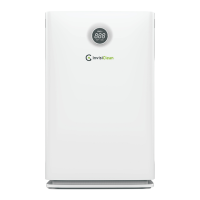
The InvisiClean Claro 4-in-1 True HEPA Air Purifier, model IC-4524, is designed to improve indoor air quality through a multi-stage filtration system, UV-C light, and an ionizer. This appliance is intended for household use and features an LCD display that provides real-time information on air quality, temperature, and humidity.

Function Description:

The air purifier operates with a 4-in-1 filtration system. This includes a carbon pre-filter, a True HEPA filter, UV-C light, and an ionizer. The carbon pre-filter is designed to capture larger particles and odors, while the True HEPA filter, with an efficiency of 99.989% for particles 0.1-0.3 µm in diameter, targets smaller airborne contaminants like dust, pollen, and pet dander. The UV-C light helps to kill germs and bacteria, and the ionizer releases negative ions to further clean the air by attracting and neutralizing airborne particles. The unit also features a PM2.5 sensor, which measures particulate matter smaller than 2.5 micrometers in the air. This measurement is a weight measurement (µg/m³) and is used to assess the level of fine particulate pollution. The device uses a laser to radiate suspended particles and estimates their mass.

Usage Features:

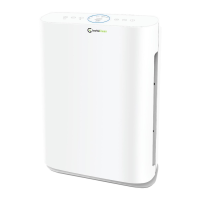
The air purifier is controlled via a touch panel located on the top of the unit.

  • Power Button: Turns the air purifier on and off.
  • Timer Button: Allows users to set an auto shut-off interval for the air purifier. Options include 1, 2, 4, and 8 hours.
  • UV/UV Reset Button: Activates or deactivates the UV light. The UV indicator light will flash after 3,000 hours of usage, signaling that it's time to replace the UV lamp. To reset this indicator, press and hold the UV button for 3 seconds until the unit beeps and the light turns off.
  • Ionizer/Filter Reset Button: Turns the ionizer on or off. The indicator light on this button will flash after 4,320 hours of use, indicating that the filter needs to be checked or replaced. To reset the filter indicator, hold the ionizer button for 3 seconds until the unit beeps and the light turns off.
  • Speed/Mode Button: Cycles through various fan speeds and operating modes. These include three manual fan speeds (1, 2, 3), Turbo mode for maximum purification, Auto mode, and Sleep mode for quiet operation.
  • LCD Display: The front LCD screen continuously cycles through displaying the current PM2.5 level, temperature, and humidity, providing real-time environmental data to the user.
  • Auto Mode: In auto mode, the air purifier automatically adjusts its fan speed based on the detected PM2.5 levels. When PM2.5 levels rise, the fan speed increases to quickly remove particles. Once the pollution source is gone, the fan speed reduces. This mode is recommended for preventing PM2.5 inhalation. For reducing general dust and allergens, it is recommended to run the air purifier on the highest comfortable speed to ensure constant air movement and capture of contaminants.
  • Safety Features: The unit will not function if the front door is not properly latched in place, ensuring filters are correctly installed and the internal components are protected.

Maintenance Features:

Regular maintenance is crucial for the optimal performance and longevity of the InvisiClean Claro air purifier.

  • Exterior Cleaning: The exterior of the air purifier should be cleaned with a soft, clean cloth. Solvents or harsh chemicals should not be used.
  • Pre-filter Cleaning/Replacement: The carbon pre-filter should be cleaned frequently, typically monthly, using a vacuum cleaner with a brush attachment to remove visible dust and hair. Alternatively, the pre-filter can be replaced with a new one.
  • True HEPA Filter Replacement: The True HEPA filter needs to be cleaned or replaced every 6-12 months, depending on usage and environmental conditions. Users should check the backside of the filter; when it turns a grayish color, indicating dirt has penetrated to the last layer, it's time for replacement.
    • Filter Access: To access the filters, pull the front cover open with both hands and lift it up.
    • Filter Removal: Filters are removed using pull tabs.
    • Filter Installation: When inserting a new filter, ensure the two lower hooks of the front cover are hooked onto the bottom of the unit first, then push the cover forward to latch it in place.
  • UV Bulb Replacement: The UV light button will blink after 3,000 hours of use, signaling that the UV-C bulb needs to be replaced.
    • Procedure: Unplug the unit, remove the front cover and filter. Unscrew the four screws holding the UV bulb access door. Pull the UV bulb from the unit and unscrew it from its holder. Carefully screw the new bulb in place using gloved hands or a towel to prevent fingerprints. Insert the bulb back into the unit and replace the door cover with the four screws.
    • Safety Note: Never look directly at an operating UV lamp. Only use replacement bulbs sold by InvisiClean.
  • Troubleshooting:
    • Unit not powering on: Check if the unit is plugged into a different outlet and ensure the front cover is correctly installed and latched.
    • Noisy operation: Verify the air purifier is on a flat surface and check if the filter is clogged or needs replacement. Also, inspect air inlet and outlet for obstructions.
    • Unit on with no lights: The unit may be in sleep mode; press any button to exit.
    • Insufficient air flow: Check if the filter is clogged or needs replacement, and inspect air inlet and outlet for obstructions.

The manual also provides contact information for customer support for any questions or assistance.

INVISICLEAN Claro IC-4524 Specifications

General IconGeneral
ModelIC-4524
CategoryAir Cleaner
WeightNot available
Noise LevelNot available
Coverage AreaNot available
Power ConsumptionNot available
Filter TypeHEPA

Related product manuals