Need help?
Do you have a question about the involight Commander Series and is the answer not in the manual?
Explains the meaning of DANGER, WARNING, ATTENTION, NOTE signal words and hazard symbols.
Details critical safety precautions for electrical shock, operation, and environmental conditions.
Defines the proper application and limitations of the INVOLIGHT LIGHTControl DMX controller.
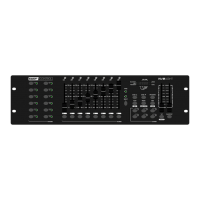
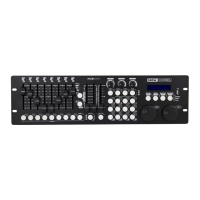
Identifies and describes the function of buttons and controls on the controller surface.
Provides an illustration and detailed explanation of the controller's front panel layout and controls.
Details the rear panel connections including USB, Audio, MIDI, DMX, and power supply.
Covers options for tabletop or rack installation and basic setup considerations.
Explains how to connect multiple DMX devices in a chain using XLR connectors.
Details how to set start addresses for DMX devices to ensure correct channel assignment.
Describes how to assign DMX channels to preset buttons and re-record/label them.
Explains the master dimmer feature and how to switch it on or off for fixture control.
Covers patching DMX channels to preset faders and declassifying channels.
Details how to assign DMX channels to the AUX keys for quick access to functions.
Explains how to assign DMX channels for PAN and TILT movements using the joystick.
Describes how to invert joystick direction or DMX channel assignments.
Provides steps to delete DMX channel assignments from fixtures or presets.
Explains how to reset the device to its original factory settings, deleting all programs.
Details how to manually control devices and set DMX values for lighting scenes.
Guides on how to create and store lighting scenes using sliders and scene buttons.
Explains how to compile and store sequences of scenes to create light chases.
Describes the process of inserting an existing scene into a programmed chase sequence.
Details how to remove a specific scene from a programmed chase sequence.
Explains how to manually, automatically, or music-controlled playback programmed chases.
Covers controlling the device via MIDI, setting MIDI channels, and function mapping.
Explains the function of the BLACKOUT button to turn off all connected lights.
Details how to connect a USB stick for data backup and loading.
Provides step-by-step instructions for backing up controller data to a USB memory stick.
Guides on loading saved data or files from a USB memory stick back to the controller.
Instructions for cleaning and maintaining the INVOLIGHT LIGHTControl device.
Lists key technical details and features of the INVOLIGHT LIGHTControl.
Provides information on the proper disposal of the device according to EU directives.
Outlines the warranty conditions and procedures for INVOLIGHT products.
States compliance of the device with relevant European directives.
 General
| Brand | involight |
|---|---|
| Model | Commander Series |
| Category | Recording Equipment |
| Language | English |

 To Next Page