EasyManua.ls Logo

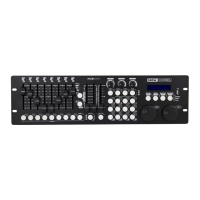
involight Commander ShowControl - User Manual

Default Icon
58 pages
Go to English
Print Icon
To Next Page IconTo Next Page
Loading...
Bedienungsanleitung
User manual

Mode d'emploi

Table of Contents

Question and Answer IconNeed help?

Do you have a question about the involight Commander ShowControl and is the answer not in the manual?

Summary

Part 1: Warnings

1.1 Overview of Symbols and Signal Words

Explains the meaning of hazard symbols and signal words used in the manual.

1.2 Important Safety Instructions

Crucial safety guidelines for proper and safe operation of the device.

1.3 Intended Use

Defines the intended application and user expertise required for the device.

Part 2: Functions and Operation

2.1 Overview of Buttons and Controls

Detailed explanation of all buttons and controls on the controller surface.

2.2 Design and Installation

Describes how to set up and install the controller unit.

2.3 Creation of a DMX-Chain

Instructions on how to connect multiple DMX devices in a chain.

2.4 Configuration

Details on setting up the controller, including menu structure and options.

2.5 Operation

Describes how to use the controller for creating scenes, effects, and programming.

2.6 Programming

Step-by-step guide to programming lighting scenes and chases.

2.7 Selecting Programs

How to select and run programmed scenes and chases.

2.8 Saving Data [Data backup]; Reading Data [Data load]

Instructions for backing up and loading data using a USB stick.

Part 3: Maintenance

Part 4: Technical Specifications

Part 5: Environmental Protection

Part 6: Warranty

Part 7: EC Declaration of Conformity

Summary

Part 1: Warnings

1.1 Overview of Symbols and Signal Words

Explains the meaning of hazard symbols and signal words used in the manual.

1.2 Important Safety Instructions

Crucial safety guidelines for proper and safe operation of the device.

1.3 Intended Use

Defines the intended application and user expertise required for the device.

Part 2: Functions and Operation

2.1 Overview of Buttons and Controls

Detailed explanation of all buttons and controls on the controller surface.

2.2 Design and Installation

Describes how to set up and install the controller unit.

2.3 Creation of a DMX-Chain

Instructions on how to connect multiple DMX devices in a chain.

2.4 Configuration

Details on setting up the controller, including menu structure and options.

2.5 Operation

Describes how to use the controller for creating scenes, effects, and programming.

2.6 Programming

Step-by-step guide to programming lighting scenes and chases.

2.7 Selecting Programs

How to select and run programmed scenes and chases.

2.8 Saving Data [Data backup]; Reading Data [Data load]

Instructions for backing up and loading data using a USB stick.

Part 3: Maintenance

Part 4: Technical Specifications

Part 5: Environmental Protection

Part 6: Warranty

Part 7: EC Declaration of Conformity

involight Commander ShowControl Specifications

General IconGeneral
Brandinvolight
ModelCommander ShowControl
CategoryRecording Equipment
LanguageEnglish

Related product manuals