20
DMX value is shown in the display.
Switches the sliders between sides A, B and C.
Key /PgUp/, DRGBW Fade
TIME
Sets all current inputs of the sliders and pan / tilt wheels to the
value zero.
Turns the sliders between pages A, B, and C. Press and hold Fade
Time for the D, R, G, B, W channels.
Sets the scene duration when recall lighting scenes or a sequence
of light sequences.
Sets the duration of the transition when recalling lighting scenes
or a sequence of light sequences.
To adjust the brightness. All values of the dimmer and color
adjustment channels are controlled together with this slider.
Sets the color value as the color angle H on the color circle
(approximately 0 ° for red, 120 ° for green, 240 ° for blue).
Sets saturation S in percent (0% = white, 50% = low saturated
color, 100% = saturated pure color).
Sets the bright value V as a percentage (0% = no brightness,
100% = full brightness).
Multifunctional key (e.g., store, confirmation)
Multifunctional key (e.g., invoking or exiting the system settings,
canceling an operation, inserting command, tap function)
Multifunctional key (for example, turns all control channels to the
value of zero, to clear lighting scenes or track sequences).
Multifunctional key (for example, switches between manual,
music-controlled and time-controlled modes. Switches between
different parameters).
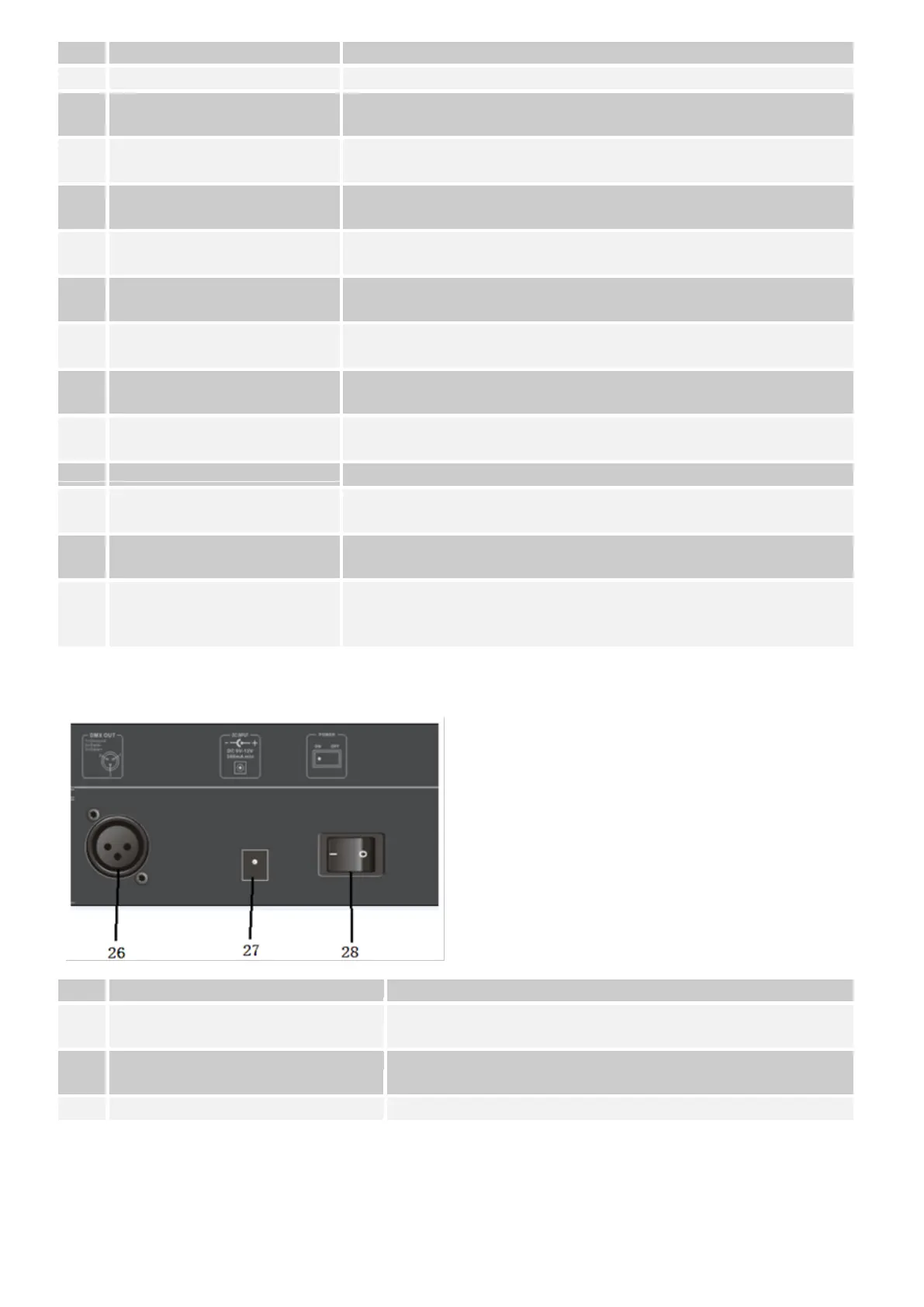
Illustration 2.
Rearview
3-pin XLR socket for connection to the DMX input of the
first headlight.
DC INPUT socket for the power supply via the enclosed
power supply unit.
Turns the unit on and off.
2.2 Design / installation:
The "SHOWControl" can be used as a tabletop unit or installed in a 19 "rack.



 To Next Page