19
If damage results from non-compliance with the intended use and the instructions outlined in this manual, the
warranty will be void and the consequences may be short-circuit, fire or electric shock, or fall-down of the device
(s). Never open the housing of the appliance or the adapter. Unauthorized modifications to the device are
prohibited for safety reasons.
The manufacturer is not liable for damage caused by improper installation and inadequate securing!
Part 2: Functions & Operation:
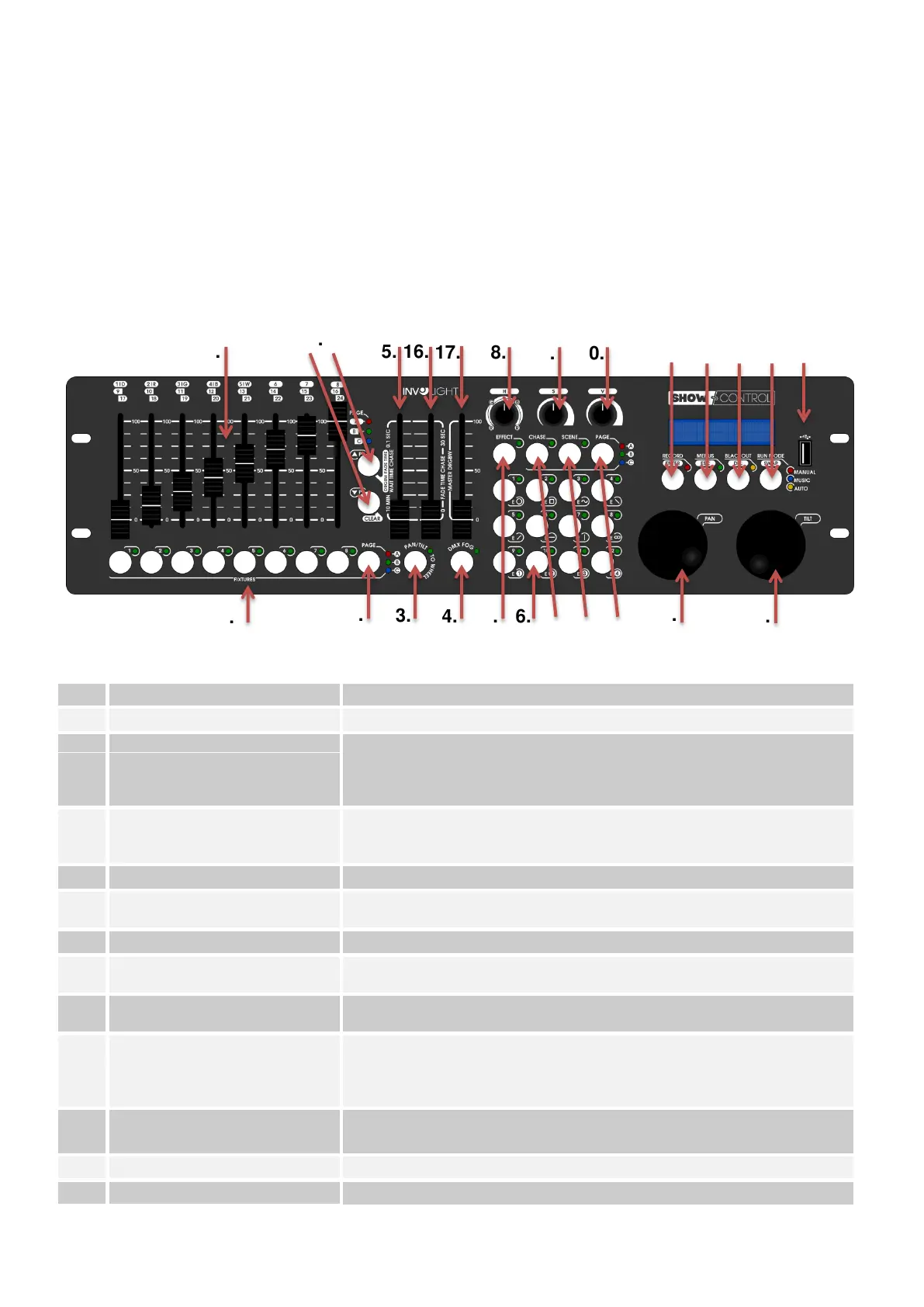
2.1 Overview of buttons and controls:
Illustration 1.
Controller-Surface:
Keys 1-8 for selection and deselection of fixtures.
For selection of pages /FIXTURE/-Keys:
Page A: Fixtures 1-8
Page B: Fixtures 9-16
Page C: Fixtures 17-24
To activate the control of Pan and Tilt channels. LED flashes - the pan
and tilt wheels control the pan and tilt channels of the unit. LED off - the
Pan and Tilt wheels control special functions.
To activate a connected fog machine.
If the key is active (LED illuminated), you can use the numeric keynote
(1-12) to call up movement patterns or color effects.
Multifunctional controls depends on set mode.
If the key is active, you can use keys 1-12 to call or store a program
(user-programmed trolley sequences).
If the key is active, you can use keys 1-12 to call or store a lighting
scene.
To change between / CHASE / and / SCENE / between memory pages:
Page A: Memory location 1-12
Page B: Memory location 13-24
Page C: Memory location 25-36
For controlling the swivel movement and for programming
functions.
For controlling the tilt movement and for programming functions.
To set the DMX values for the selected devices. The current



 To Next Page