
 Need help?
Do you have a question about the iodd IODD-2531 and is the answer not in the manual?
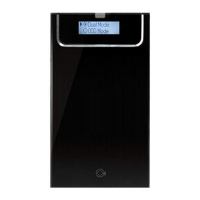
Shows icons for Write Protected, Dual Mode, CD Mode, iso File Mounted, Connect Virtual HDD.
Shows icons for Mode Select, Setting, Read & Write Enabled, HDD Mode, Sleep Mode, PC connection status.
Details main menu items like Mode Select, Setting, Information, USB Connect, Advanced, Exit.
Explains Dual Mode, CD Mode, and HDD Mode.
Covers LCD Brightness, Idle Brightness, Standby time, and Load Default.
Includes HDD Model, Serial, Firmware, USB speed, input voltage, temperature, and health.
Options for Refreshing device and Safe Removal from PC.
Covers Umount VHDD and Write Protect settings.
 General
| Model | IODD-2531 |
|---|---|
| Color | Black |
| Interface | USB 3.0 |
| Supported Drive Type | SATA |
| RAID | No |
| UASP Support | Yes |
| Write Protection | Yes |
| Compatibility | 2.5-inch SATA HDD/SSD |

 To Next Page