25
Operation
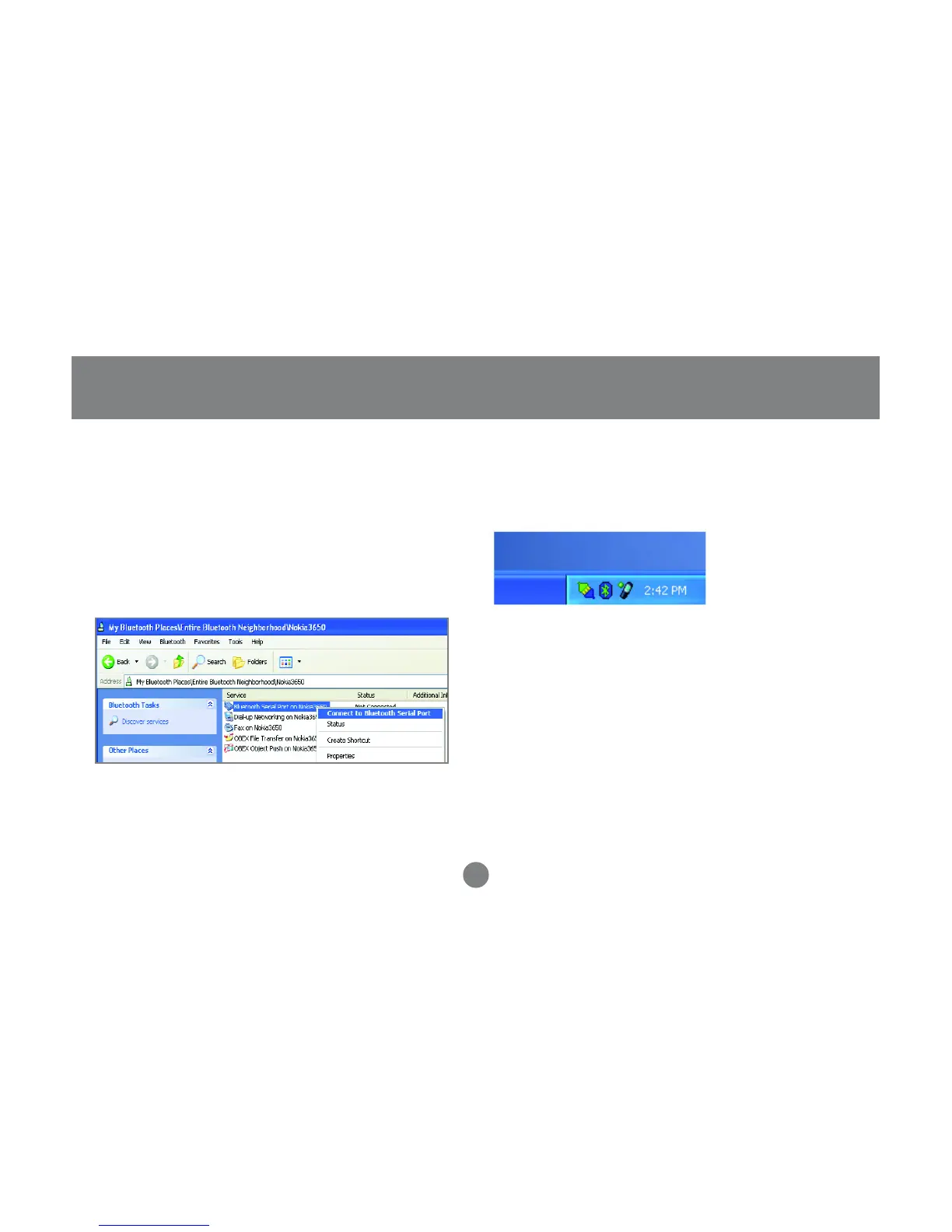
In order for the Nokia PC Suite software to detect
the Bluetooth phone, we need to first have a
Bluetooth Serial Port communication established.
Therefore, right-click on the Bluetooth Serial port
service and connect to it as illustrated below.
You may be asked to authorize the connection or
enter a passkey, enter the necessary information
to proceed.
5. When you establish a connection, the Bluetooth
icon will turn green, as shown below. At this point,
you can now launch the Nokia PC Suite software.
6.
In our example, we used Nokia PC Suite version
3.0, since it is what the Nokia 3650 supports.
Below, you will find some illustrations of the tasks
that you can perform with the Nokia PC Suite



 To Next Page