36 37
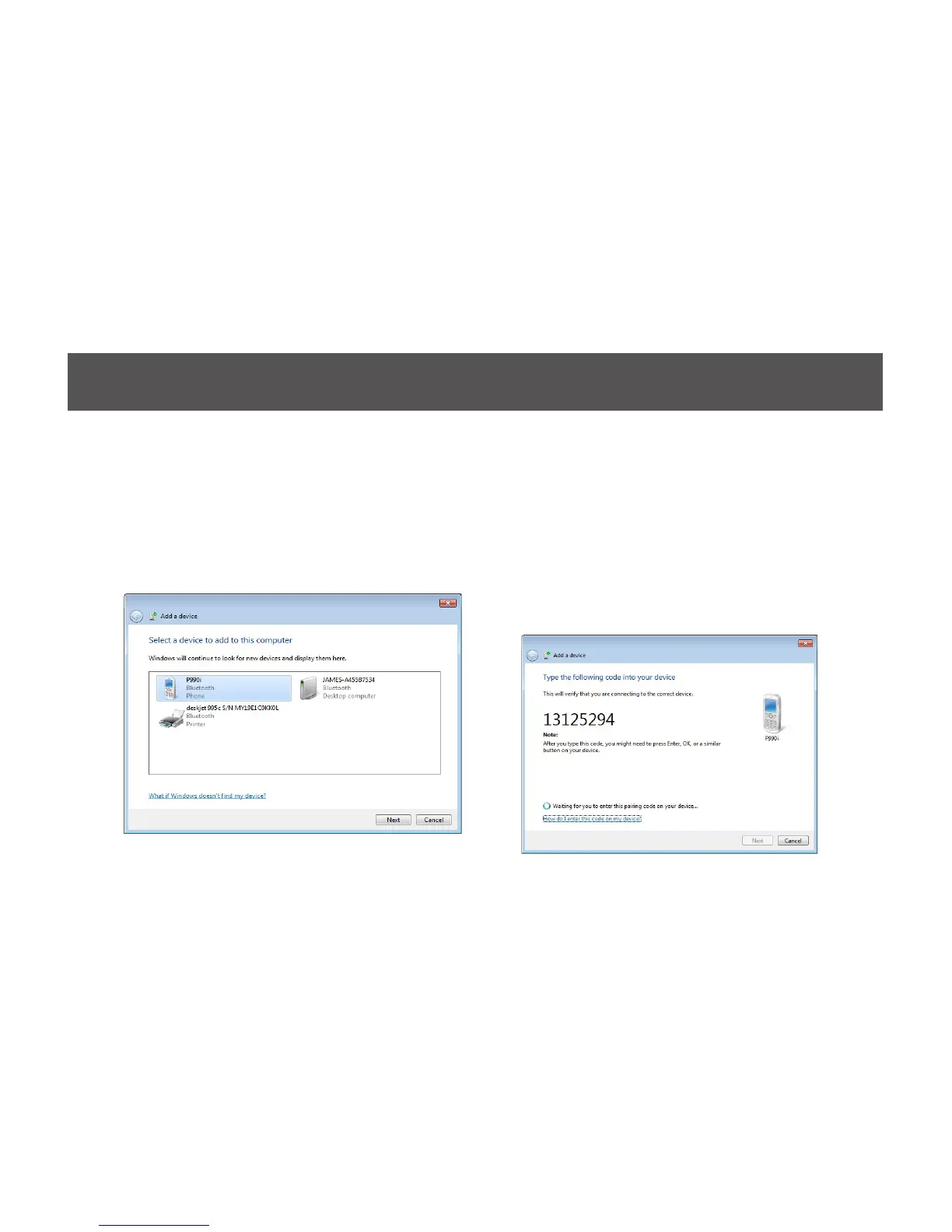
3. Make sure to set your Bluetooth enabled
phone on pairing mode and the software
will start scanning for all available Bluetooth
enabled devices. Once found, your phone will
appear in below window. Select your phone
and click on Next to continue.
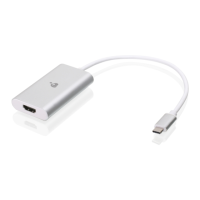
4. The Bluetooth software will generate a pairing
key which will display in below window. Type
in this pairing key into your Bluetooth enabled
phone to accept the pairing request and click
on Next to continue. Please make sure to put
in the pairing key to your Bluetooth enabled
phone within 30 seconds, otherwise, you will
need to start this process over again.



 To Next Page