52 53
Windows Vista
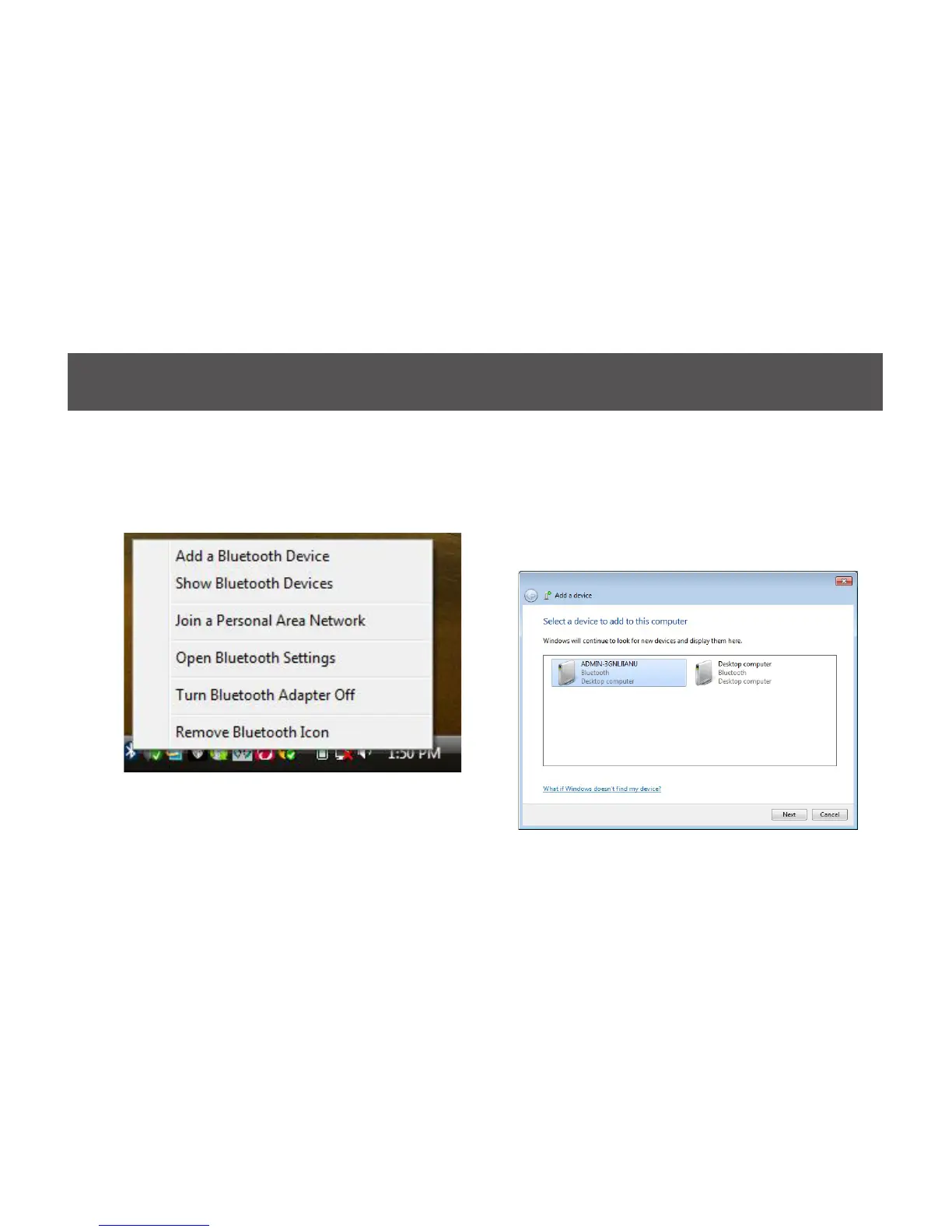
1. Click on the Bluetooth icon in the system tray
and select Add a Bluetooth Device.
2. The software will start scanning for all available
Bluetooth enabled devices. Once found, the
other Bluetooth enabled computer will appear
in below window. Select the computer and
click on Next to continue.



 To Next Page