45
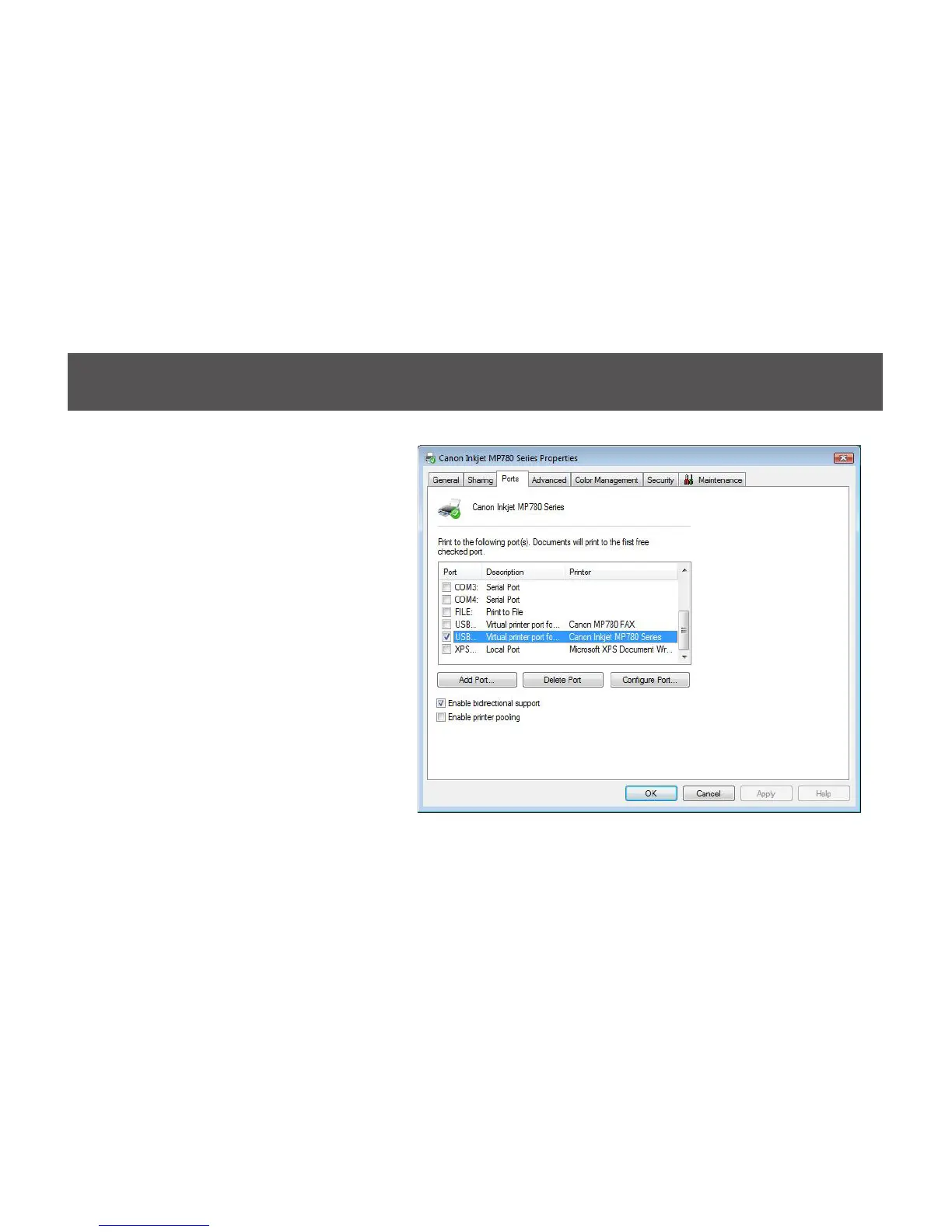
6. If your printer is already setup,
click on the Vista logo, then select
Control Panel. Double click on
Printers icon and access the list
of printer installed on your system.
Right click on the printer select
Properties. Select Ports tab and
click on Add Port… to create the
connection to the printer.


 To Next Page