2
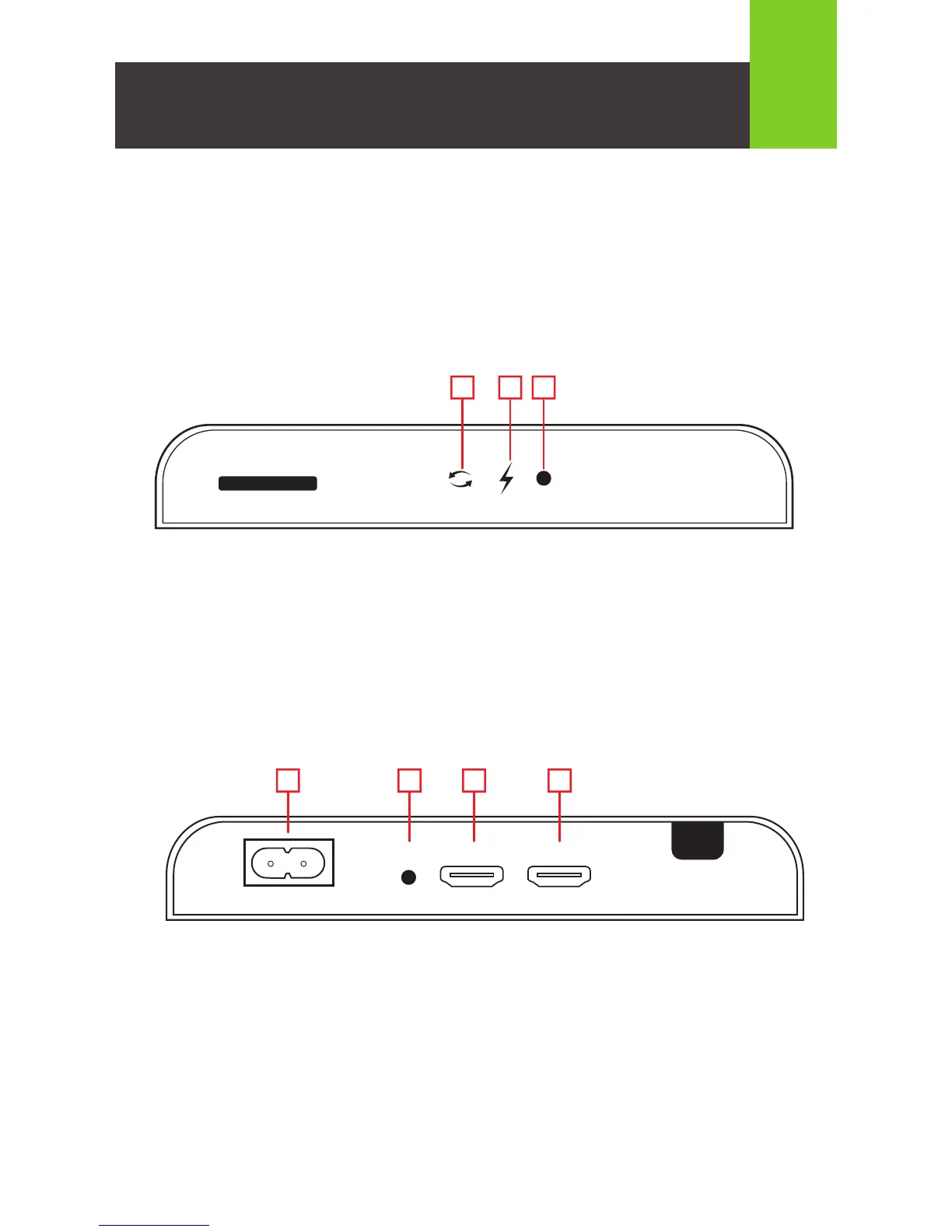
Transmisor (atrás)
1. Entrada de alimentación
2. Puerto de salida IR
3. Puerto de salida HDMI (puerto de transferencia local)
4. Puerto de entrada HDMI
1
OUTPUT
HDMI100-240V~50/60Hz
OUT
IR
INPUT
HDMI
PRO
2 3 4
Transmisor (frente)
1. LED de transmisión de datos
• Parpadeo lento – Estableciendo la conexión por el cableado eléctrico
• Parpadeo rápido – Conexión exitosa y transmitiendo datos
2. LED de alimentación
3. Botón de reinicio
• Oprimir por 1 segundo para reiniciar el transmisor
Generalidades
HDMI OVER POWERLINE PRO KIT
RESET
TRANSMITTER
1 2 3



 To Next Page