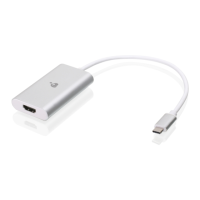
1. Power on your host (e.g. laptop) and connect the USB-C
Connector to the host.
2. If your laptop only has a USB-A interface, connect the (included)
USB-C to USB-A adapter between the host and the USB-C Host
connector.
3. Connect your HDMI source device to the GUV301 HDMI port**.
4. Please download and install stream software from “Stream
Software Support list” to enable recording or streaming
function for GUV301.
Installation
**GUV301 cannot display or capture HDCP protected content


 To Next Page