Disconnect Instructions
CAUTION: To prevent data loss, do not disconnect the drive during data transfer. The
green activity light on the drive flashes when it is transferring data.
Windows ME/XP/2000 Users: Click the Remove Hardware
icon on the right side of the taskbar to stop the drive.
Remove the disk, wait for the disconnect prompt, then
disconnect the drive.
Windows 98/98SE Users: You will not see the Remove Hardware icon. Make sure
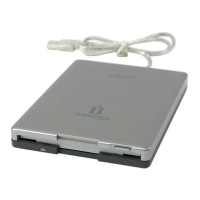
the drive is not transferring data, remove the disk, then disconnect the Iomega
®
Floppy USB drive.
Mac Users: If there is a disk in the drive, drag the Iomega Floppy USB drive icon to
the trash and wait for the green activity light to quit flashing before disconnecting.
Formatting Disks
Use the system format utilities on PC or Mac to format a disk.
Customer Support
For all of your service and support needs, visit us at www.iomega.com.








 To Next Page