EasyManua.ls Logo

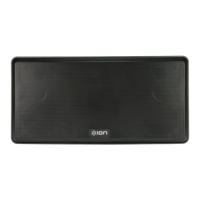
ION ANYROOM - User Manual

ION ANYROOM
16 pages
Print Icon
To Next Page IconTo Next Page
Loading...
ANYROOM
QUICKSTART GUIDE
ENGLISH ( 3 – 4 )
MANUAL DE INICIO RÁPIDO
ESPAÑOL ( 5 – 6 )
GUIDE D'UTILISATION SIMPLIFIÉ
FRANÇAIS ( 7 – 8 )
GUIDA RAPIDA
ITALIANO ( 9 – 10 )
KURZANLEITUNG
DEUTSCH ( 11 – 12 )
SNELSTARTGIDS
NEDERLANDS ( 13 – 14 )

Other manuals for ION ANYROOM

Questions and Answers

  • C
    Corey FreemanAug 8, 2025
    What to do if I cannot hear my music on my ION Speaker System?
    • J
      Joseph DavisAug 8, 2025
      If you cannot hear music from your ION Speaker System, there might be a few reasons. First, the speaker and transmitter might not be synced correctly; try turning the speaker off, waiting a few seconds, and then turning it back on. They should sync automatically. Also, check that the speaker and transmitter are close enough to each other, removing any obstacles between them if needed. Ensure the speaker's volume is turned up and that your music device is powered on and playing music.
  • G
    gordonchristianAug 23, 2025
    Why won't my ION Speaker System speaker and transmitter sync?
    • C
      Casey CrawfordAug 23, 2025
      If your ION Speaker System's speaker and transmitter aren't syncing properly, it could be due to a few reasons. Ensure there's a clear line of sight between the speaker and transmitter by removing any obstructions. Try moving the speaker and transmitter closer together, and keep them in the same room.

Summary

Quickstart Guide

Connection Diagram

Diagram showing how to connect the speaker, iPod, and transmitter.

Product Features

Describes the speaker's inputs, outputs, and controls.

Using Your Speaker

Step-by-step guide to setting up and using the ANYROOM speaker.

Troubleshooting

Transmitter Range Factors

Information on factors affecting the wireless transmitter's operational range.

Technical Support and Returns

Contact details for technical support and warranty assistance.

ION ANYROOM Specifications

General IconGeneral
BrandION
ModelANYROOM
CategorySpeakers
LanguageEnglish

Related product manuals