EasyManua.ls Logo

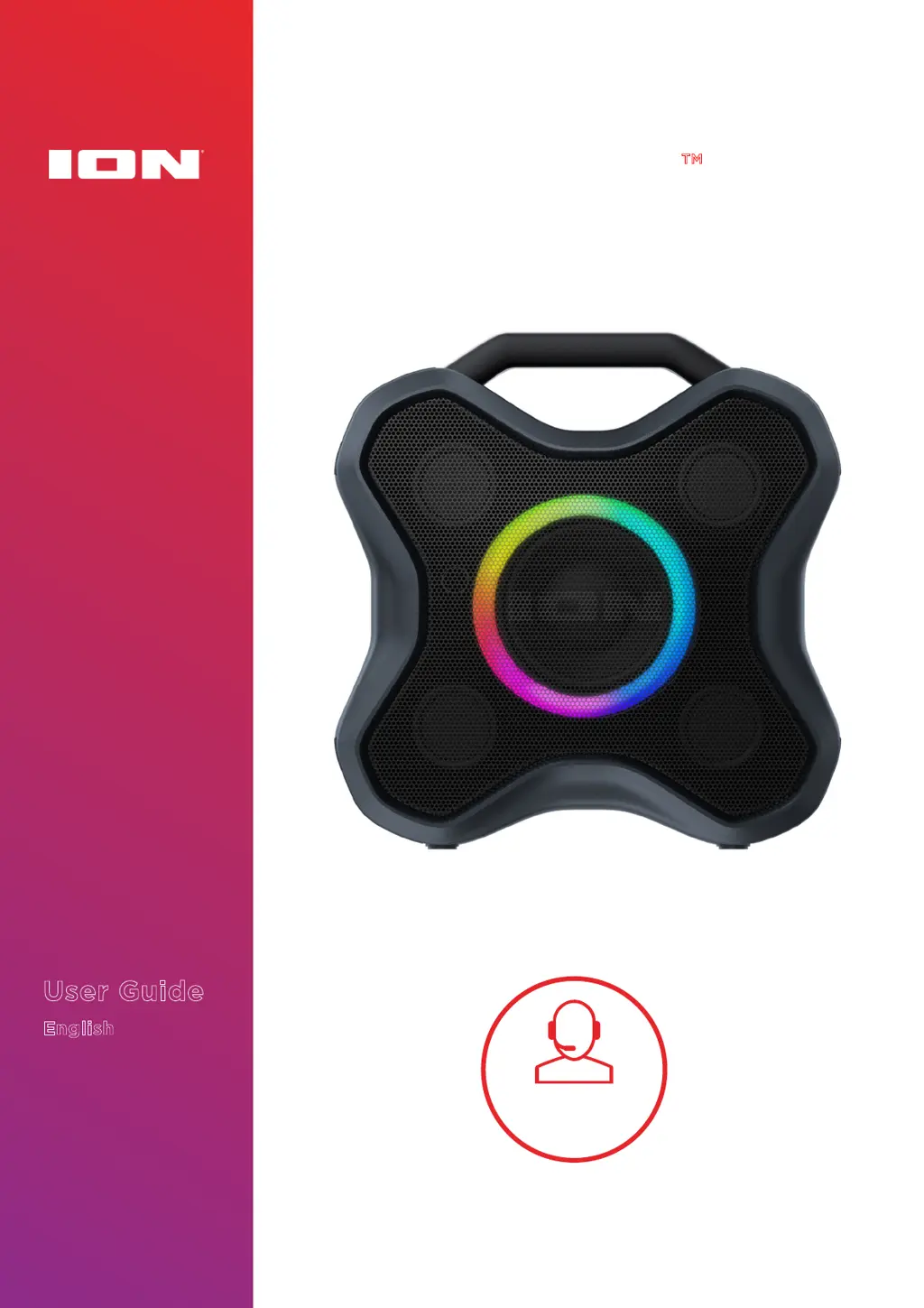
ION AQUABOOM X - User Manual

ION AQUABOOM X
17 pages
Print Icon
To Next Page IconTo Next Page
Loading...
User Guide
English
AQUABOOM X
Tap or click
for technical
support.
ionaudio.com/support

Questions and Answers

Summary

Introduction and Support

Box Contents List

Lists the items included in the product packaging, such as the speaker and cables.

Support and Registration

Provides website addresses for product information, technical support, and registration.

Setup and Battery Management

Charging and Battery Guidelines

Explains how to charge the device, battery life, and auto-off features.

Outdoor Use and Care Tips

Offers guidance on using the speaker outdoors, its water resistance, and maintenance.

Product Features Overview

Side Panel Button Functions

Details the functions of buttons on the speaker's side panel, including power, volume, and mode selection.

Rear Panel Connectivity Ports

Identifies and explains the USB charging port and the Aux-In audio input on the rear of the speaker.

Operating the Aquaboom X

Bluetooth Device Pairing

Step-by-step guide on connecting a Bluetooth device to the speaker.

Stereo-Link: Linking Two Speakers

Instructions on how to connect two Aquaboom X speakers for stereo playback.

Speaker Light Mode Selection

Describes the various LED light modes available and how to cycle through them.

FM Radio Operation

Explains how to tune into FM radio stations, save presets, and recall them.

ION Sound Control App Usage

Details how to download and use the ION Sound Control app for speaker management.

Troubleshooting Common Issues

Troubleshooting Charging and Sound

Addresses issues with unit charging, distorted sound, and excessive bass.

Troubleshooting Bluetooth Connectivity

Provides solutions for failing to connect or pair a Bluetooth device with the speaker.

Troubleshooting Audio Dropouts

Explains potential causes and solutions for intermittent audio playback during Bluetooth streaming.

Appendices and Specifications

Technical Specifications Details

Lists detailed technical data for the speaker, including power, dimensions, and water resistance.

Trademarks and Licensing Information

Outlines trademarks, logos, and licensing information related to the product and its components.

Summary

Introduction and Support

Box Contents List

Lists the items included in the product packaging, such as the speaker and cables.

Support and Registration

Provides website addresses for product information, technical support, and registration.

Setup and Battery Management

Charging and Battery Guidelines

Explains how to charge the device, battery life, and auto-off features.

Outdoor Use and Care Tips

Offers guidance on using the speaker outdoors, its water resistance, and maintenance.

Product Features Overview

Side Panel Button Functions

Details the functions of buttons on the speaker's side panel, including power, volume, and mode selection.

Rear Panel Connectivity Ports

Identifies and explains the USB charging port and the Aux-In audio input on the rear of the speaker.

Operating the Aquaboom X

Bluetooth Device Pairing

Step-by-step guide on connecting a Bluetooth device to the speaker.

Stereo-Link: Linking Two Speakers

Instructions on how to connect two Aquaboom X speakers for stereo playback.

Speaker Light Mode Selection

Describes the various LED light modes available and how to cycle through them.

FM Radio Operation

Explains how to tune into FM radio stations, save presets, and recall them.

ION Sound Control App Usage

Details how to download and use the ION Sound Control app for speaker management.

Troubleshooting Common Issues

Troubleshooting Charging and Sound

Addresses issues with unit charging, distorted sound, and excessive bass.

Troubleshooting Bluetooth Connectivity

Provides solutions for failing to connect or pair a Bluetooth device with the speaker.

Troubleshooting Audio Dropouts

Explains potential causes and solutions for intermittent audio playback during Bluetooth streaming.

Appendices and Specifications

Technical Specifications Details

Lists detailed technical data for the speaker, including power, dimensions, and water resistance.

Trademarks and Licensing Information

Outlines trademarks, logos, and licensing information related to the product and its components.

ION AQUABOOM X Specifications

General IconGeneral
TypePortable Bluetooth Speaker
Battery LifeUp to 12 hours
Weight2.1 lbs. (0.95 kg)
Bluetooth Version5.0
Bluetooth Range10 meters
Waterproof RatingIPX7

Related product manuals