
 Need help?
Do you have a question about the ION Block Rocker Series and is the answer not in the manual?
Identify speaker model, voltage, amp hours, and physical size for the correct battery.
Verify F2 terminals or use F1 to F2 adapters for proper connection.
Find retailers like Amazon and Mouser for suitable replacement batteries.
Step-by-step instructions for safely accessing and replacing the battery yourself.
Best practices for charging and using your battery to maximize its lifespan.
Advice on storing batteries in optimal conditions to prevent degradation.
How to responsibly dispose of lead-acid batteries according to local ordinances.
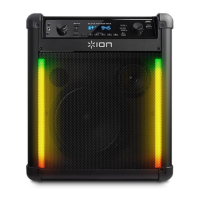
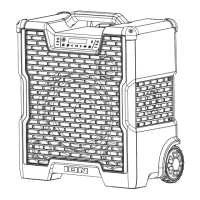
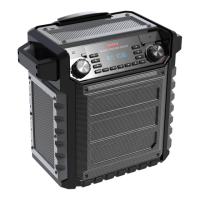
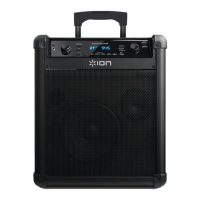
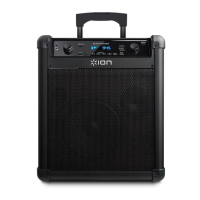
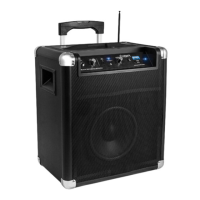
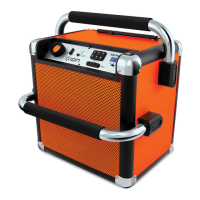
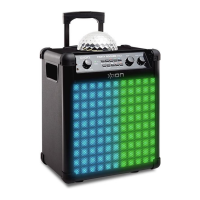
The ION Audio Block Rocker, Job Rocker, and Tailgater series of portable audio products are designed with user convenience in mind, particularly concerning battery maintenance. These devices feature a user-replaceable rechargeable battery, making it easy for owners to perform battery swaps without the need for professional assistance. The battery access panel is typically located on the side or bottom of the unit, secured by Phillips-head screws, allowing for straightforward access to the battery compartment.
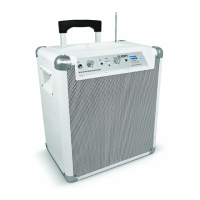
These ION Audio speakers are portable audio systems that operate on a rechargeable lead-acid battery, similar to those found in automobiles. This allows for extended use away from power outlets, making them suitable for various outdoor and mobile applications. The core function is to provide amplified sound, often including features like Bluetooth connectivity for wireless streaming, AM/FM radio, and inputs for microphones or other audio sources, depending on the specific model. The user-replaceable battery design ensures that the device's lifespan can be extended by simply swapping out a worn-out battery for a new one, rather than requiring a full unit replacement or complex repair.
The design prioritizes ease of use for battery replacement. To begin, users must disconnect all power and audio cables, ensuring the unit is completely isolated from any electrical power sources for safety. The battery access panel, which varies in location (side or bottom) depending on the model, is secured by four Phillips-head screws. For certain models, like the Block Party Live, the battery access is on the rear, and the handle may need to be removed first by unscrewing its four fasteners. Once the screws are removed and the panel cover is detached, the battery compartment is revealed. The battery can then be slid out to expose the connection wires.
A critical aspect of battery replacement is correctly identifying the battery type and ensuring the replacement battery has the correct terminal connectors. ION Audio speakers utilize non-proprietary lead-acid batteries, which are readily available from various retailers. Key specifications to consider when purchasing a replacement battery include Voltage (V), Amp Hours (AH), and physical dimensions to ensure it fits within the speaker's battery compartment. Common battery types are 12V, 5AH, or 12V, 7AH, with specific dimensions provided for different models. For instance, a 12V, 5AH battery might be 3.54" x 2.76" x 3.98" (L x W x H), while a 12V, 7AH battery might be 5.94" x 2.57" x 3.78" (L x W x H). Some older models, like the Road Rocker, might use a 6V, 4AH battery.
Terminal connectors are another important consideration. ION Audio portable audio products typically require F2-type battery terminals, which are slightly larger than F1-type terminals. If a user purchases a battery with F1-type terminals, "F1 to F2 Step Up Adapters" can be acquired from third-party retailers to ensure compatibility. These adapters slip over the F1 terminals, making them wider to accommodate F2-type connection cables.
When disconnecting the old battery, users must carefully note how the terminals are connected: the red connector to the red positive terminal and the other connector (blue or black) to the black negative terminal. This precise connection method must be replicated with the new battery to prevent damage to the product. After sliding off the metal connectors from the old battery and removing it, the new battery is connected following the same terminal polarity, inserted into the compartment, and the side panel is closed and secured with screws.
The guide also provides valuable advice for maximizing the lifespan of the lead-acid battery. Proper use and treatment are crucial for longevity. Recommendations for using the battery include fully charging it before initial use, draining it approximately 80% once a month for maximum life, and completely charging it after each use. Users are advised to avoid completely draining the battery, as this can significantly reduce its overall lifespan.
For long-term storage, specific guidelines are provided to prevent battery degradation. It is recommended to avoid storing the unit in high temperatures and moist places. Periodically recharging the battery during long-term storage is essential; if the battery is not charged for six months, it may become unable to hold a charge.
Regarding disposal, lead-acid batteries should be handled responsibly. Users are instructed to bring the unit to a recycling center or dispose of it in accordance with local ordinances, emphasizing environmental responsibility.
It's also important to note that older ION Audio speaker models, specifically those produced prior to 2010, do not feature an external battery access door. For these units, battery replacement requires the intervention of a certified technician, and users are directed to contact ION Audio Technical Support for a list of authorized service centers. Units produced in 2010 or later, which feature the easy-access battery compartment, can be identified by their recessed plastic carry handles on the side of the enclosure, whereas earlier units had metal hinged handles. This distinction helps users determine if they can perform the battery replacement themselves or if professional service is required.
 General
| Battery Life | Up to 50 hours |
|---|---|
| USB Charging Port | Yes |
| Bluetooth Range | Up to 100 feet |
| Radio | FM Radio |
| Wheels and Handle | Yes |




 To Next Page