7
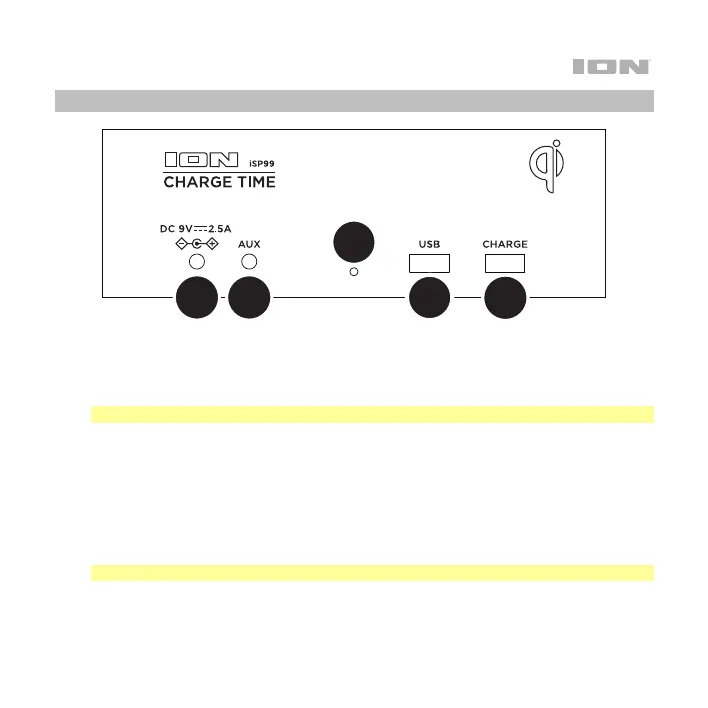
Rear Panel
1
2
5
3
4
1. Power Input: Use the included power adapter to connect this input to a power outlet.
2. Aux Input: This stereo 1/8” (3.5 mm) input can be used to connect a CD player, MP3
player, or other audio source.
Note: Only one audio source (Bluetooth, Aux or USB) can play at a time.
3. Temperature Gauge: This gauge will take the current temperature to show on the display.
4. USB Port: Connect a USB flash drive to this port to play back MP3 or WAV audio files.
Use the Play/Pause and Minus/Plus (-/+) buttons to control playback and volume.
5. USB Charge Port: Connect a device's charge cable here to charge it. You can
simultaneously charge one device using the wireless Qi pad and one device using the
wired charge port.
Note: Playing music may reduce the rate of charging per device.


 To Next Page