3
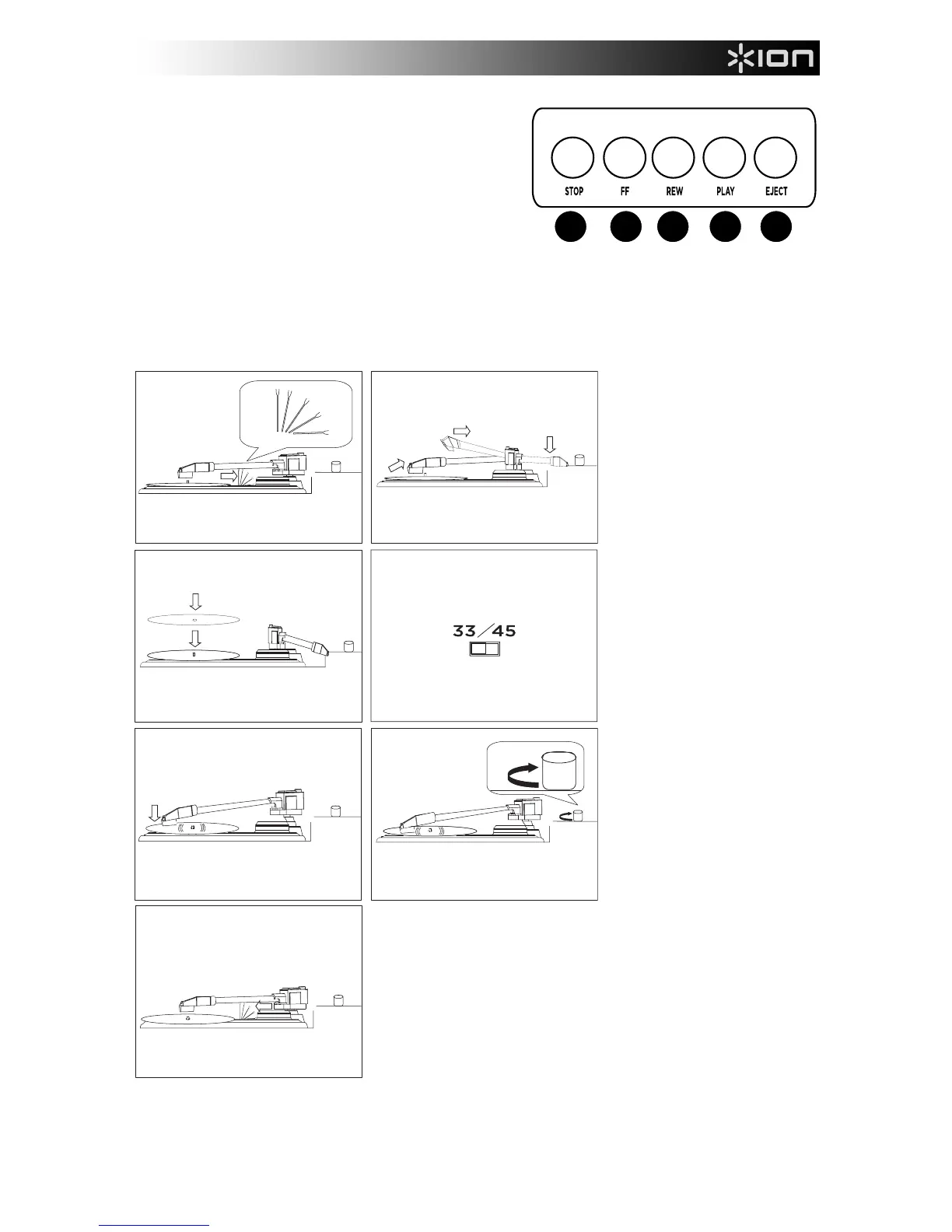
13. STOP
14. FAST FORWARD
15. REWIND
16. PLAY
17. EJECT
HOW TO PLAY YOUR RECORDS
Note: Make sure to first remove the plastic cartridge cover (needle cover) before operating the turntable.
1. Undo and lower arm clip.
2. Raise the tonearm, then
move it to the side.
3. Place the record on the
platter.
4. Select speed (33/45 RPM);
use the included 45 RPM
adapter if needed.
5. Lower the tonearm onto
record; the record will begin
playing.
6. Adjust volume with ON/OFF
knob.
7. When finished, raise the
tonearm and return it to rest
on the arm clip.
4


 To Next Page