EasyManua.ls Logo

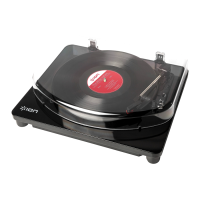
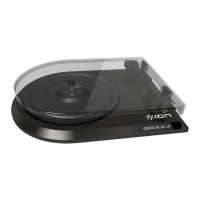
ION QUICK PLAY LP - User Manual

ION QUICK PLAY LP
16 pages
Print Icon
To Next Page IconTo Next Page
Loading...
QUICK PLAY LP
USB-POWERED LP-TO-MP3 TURNTABLE
li
QUICKSTART GUIDE
ENGLISH ( 3 – 4 )
MANUAL DE INICIO RÁPIDO
ESPAÑOL ( 5 – 6 )
GUIDE D’UTILISATION RAPIDE
FRANÇAIS ( 7 – 8 )
GUIDA RAPIDA
ITALIANO ( 9 – 10 )
KURZANLEITUNG
DEUTSCH ( 11 – 12 )
SNELSTARTGIDS
NEDERLANDS ( 13 – 14 )

Other manuals for ION QUICK PLAY LP

Questions and Answers

  • A
    Andrew DodsonJul 26, 2025
    Why is my music playing at a strange pitch on my ION QUICK PLAY LP?
    • A
      Austin HenryJul 26, 2025
      If your music is playing at a strange pitch on your ION Turntable, it might be due to an incorrect speed setting. Ensure you select the correct speed (33, 45, or 78 RPM) for the record you are playing.
  • M
    Michael WhiteJul 31, 2025
    Why am I not hearing any audio when recording on my ION QUICK PLAY LP Turntable?
    • M
      Michelle HansonJul 31, 2025
      If you are not hearing any audio when recording, there are a couple of things to check: * Ensure the needle is placed correctly on the record. * Verify that the ION turntable is connected to a computer and that the computer is powered on.
  • S
    Susan HarveyAug 5, 2025
    What to do if I am experiencing poor sound quality on my ION QUICK PLAY LP?
    • M
      Michael SanchezAug 5, 2025
      If you are experiencing poor sound quality with your ION Turntable, consider the following: * Make sure the cartridge is securely connected to the tonearm. * Dust off and gently wipe the surface of the vinyl record before playing it, as a dirty or scratched record can cause poor sound quality.
  • V
    Vanessa Maddox MDAug 9, 2025
    How to fix distorted music when recording into my computer on Windows 7 from my ION QUICK PLAY LP Turntable?
    • J
      John HillAug 9, 2025
      If your music is distorted or "clipping" when recording into your computer on Windows 7, the recording level may be too high. To resolve this: 1. Go to Start > Control Panel > Hardware and Sound > Sound. 2. Click the Recording tab and select USB Audio Codec as the default device. 3. Click Properties in the lower right-hand corner. 4. In the new window, click the Levels tab and set the slider to "4." 5. Click OK to close the Properties window, then click OK to close the Sound control panel.
  • W
    waltersstephanieAug 15, 2025
    How to set recording input to stereo for my ION Turntable in Windows Vista?
    • K
      karla38Aug 15, 2025
      If your recordings are mono instead of stereo when recording into your computer on Windows Vista, you may need to manually specify “stereo” for the recording input. Here’s how: 1. Go to Start > Control Panel > Sound (in Classic View). 2. Click on the Recording tab and highlight the Microphone input (USB Audio Codec). 3. Click on Properties to bring up the input settings. 4. Next, click on the Advanced tab and select “2 channel, 16 bit, 44100 Hz (CD quality)” in the Default Format pull-down menu. 5. Lastly, click Apply to accept the settings.
  • B
    Brian SmithAug 19, 2025
    What to do if my ION QUICK PLAY LP record stops playing before the end of the song?
    • D
      denise36Aug 19, 2025
      If your record stops playing before the end of the song, especially if it's a 45RPM record, the Autostop feature might be the cause. The Autostop feature may have detected that the tonearm is close enough to the center to stop the record. To prevent this, set the Autostop Switch to "off."

Summary

Quickstart Guide Overview

Introduction to EZ Vinyl;Tape Converter

Explains the purpose of EZ Vinyl/Tape Converter for digital media conversion and where to find software.

Product Features and Components

Details the USB cable, line out, platter, tonearm, arm clip, raise/lower lever, autostop, and speed selector.

Connection Diagram

Shows the physical connections between the turntable, speakers, and computer.

Troubleshooting Common Issues

Addresses common problems like no audio, poor sound quality, and incorrect speed.

ION QUICK PLAY LP Specifications

General IconGeneral
BrandION
ModelQUICK PLAY LP
CategoryTurntable
LanguageEnglish

Related product manuals