EasyManua.ls Logo

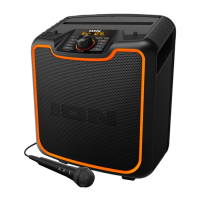
ION EXPLORER IPA76S - User Manual

ION EXPLORER IPA76S
32 pages
Print Icon
To Next Page IconTo Next Page
Loading...
Explorer
iPA76S
Quickstart Guide English ( 2 – 6 )
Guía de inicio rápido Español ( 7 – 11 )
Guide d'utilisation rapide Français ( 12 – 16 )
Guida rapida Italiano ( 17 – 21 )
Schnellstart-Anleitung Deutsch ( 22 – 26 )
Snelstartgids Nederlands ( 27 – 31 )

Questions and Answers

  • J
    James KimAug 17, 2025
    How to fix distorted sound on ION EXPLORER IPA76S Speakers?
    • A
      Angela AllenAug 17, 2025
      If the sound from your ION Speakers is distorted, try these steps: First, lower the volume control of your sound source, musical instrument, or microphone. If that doesn't work, reduce the overall volume of the ION Speakers using the Master Volume knob.
  • J
    Jeremy FischerAug 20, 2025
    Why can’t ION EXPLORER IPA76S play music from a flash drive?
    • A
      Anthony ScottAug 20, 2025
      The USB port on ION Speakers is only designed for charging USB devices; it cannot be used to play music from a flash drive.
  • K
    Kelly DanielsAug 22, 2025
    Why is there a high-pitched whistling noise when using microphones with my ION Speakers?
    • D
      danielmonroeAug 22, 2025
      If you are experiencing a high-pitched whistling noise when using microphones with your ION Speakers, it's likely due to feedback. To resolve this, simply point the microphone away from the speaker.
  • K
    Kenneth WalkerAug 25, 2025
    What to do if I can’t hear the microphone over the music volume on my ION EXPLORER IPA76S?
    • Y
      ybensonAug 26, 2025
      If you can't hear the microphone over the music volume on your ION Speakers, try turning down the music volume from your source.
  • W
    williamswilliamAug 28, 2025
    What to do if there is too much bass on ION Speakers?
    • C
      Curtis EsparzaAug 28, 2025
      If your ION Speakers have too much bass, here's what you can do: First, try adjusting the tone or EQ control on your sound source to lower the bass level. Alternatively, you can also control EQ using the free ION Block Rocker app for iOS and Android devices.
  • Y
    yandradeAug 30, 2025
    Why can't I hear the microphone over the music volume on my ION EXPLORER IPA76S Speakers?
    • P
      Patricia BrennanAug 30, 2025
      If you can't hear the microphone over the music volume on your ION Speakers, simply turn down the music volume from your source.
  • S
    Sheila ReidSep 2, 2025
    What to do if ION EXPLORER IPA76S Speakers have a high-pitched whistling noise when using microphones?
    • M
      Martin PalmerSep 2, 2025
      If you experience a high-pitched whistling noise when using microphones with your ION Speakers, point the microphone away from the speaker.
  • K
    Kellie ChapmanSep 5, 2025
    How to fix poor AM reception on ION Speakers?
    • A
      antoniosmithSep 5, 2025
      To adjust AM reception on ION Speakers, move the entire unit to a different location.
  • C
    Carol Hendricks DVMSep 7, 2025
    Why is there too much bass from my ION EXPLORER IPA76S Speakers?
    • B
      Breanna HubbardSep 8, 2025
      If there is too much bass in the sound from your ION Speakers, adjust the tone or EQ control on your sound source to lower the bass level. This allows you to play the music louder before distortion occurs. You can also control EQ using the free ION Block Rocker app for iOS and Android.
  • B
    Brian BarberSep 10, 2025
    How to improve poor AM reception on ION EXPLORER IPA76S Speakers?
    • J
      Jeffrey YoungSep 10, 2025
      If you are experiencing poor AM reception on your ION Speakers, try moving the entire unit to adjust the AM reception.

Summary

Quickstart Guide

Introduction

Initial steps and safety advice before using the product.

Box Contents

Lists all items included in the product packaging for verification.

Support

Provides contact and online resources for product information and registration.

Rechargeable Batteries

Recommendations for maximizing battery lifespan and proper care.

Quick Setup

Guides users through the initial connection and setup process.

Features

Details the various functions and capabilities of the device.

Pairing a Bluetooth Device

Instructions on connecting wirelessly via Bluetooth for audio playback.

Pairing a Bluetooth Device Using NFC

Steps for pairing devices using Near-Field Communication technology.

Troubleshooting

Technical Specifications

ION EXPLORER IPA76S Specifications

General IconGeneral
TypePortable Bluetooth Speaker
BluetoothYes
Water ResistanceIPX5
USB ChargingYes
Bluetooth RangeUp to 30 meters
Input Voltage100–240 V, 50/60 Hz
Weight11.5 lbs. (5.2 kg)

Related product manuals