
 To Next Page
J
John MartinJul 29, 2025
How to fix ION Speakers when it is not charging?
- WWalter CarrollJul 29, 2025
If your ION Speakers are not charging, make sure the power cable is properly connected to the power input and the power outlet.

How to fix ION Speakers when it is not charging?
If your ION Speakers are not charging, make sure the power cable is properly connected to the power input and the power outlet.
What to do if I experience audio dropouts on my ION Speakers when using Bluetooth?
If you are experiencing audio dropouts while playing music from a Bluetooth device on your ION Speakers, this may occur if a speaker previously linked to your unit has been powered off, or if your unit has just been turned on and is in Stereo-Link™ mode. To resolve this, exit Stereo-Link™ mode by double-pressing the Stereo-Link™ / Repeat button.
What to do if I can’t hear the microphone over the music volume on my ION PARTY BOOM PLUS Speakers?
If you can't hear the microphone over the music volume on your ION Speakers, turn down the music volume from your source or increase the microphone volume using the Mic + button.
Why is there too much bass coming from my ION PARTY BOOM PLUS?
If there is too much bass coming from your ION Speakers, try adjusting the tone or EQ control on the speaker or your sound source to lower the bass level. Also, check to see if the BOOM function is enabled, and disable it by pressing the BOOM button™.
How to fix distorted sound on ION PARTY BOOM PLUS Speakers?
If the sound from your ION Speakers is distorted, try lowering the volume control of your sound source.
What to do if I hear a hum when cables are connected to my ION PARTY BOOM PLUS?
If you hear a hum when cables are connected to your ION Speakers, try the following: * Disconnect cables from the input jacks to see if it’s a faulty cable. * Make sure the signal cables are not placed near power cables. * Connect all audio equipment power cables to outlets which share a common ground.
Lists items included in the package: speaker, power cable, microphone, and quickstart guide.
Provides website links for product information, technical specifications, and customer support.
Details how to charge the unit and offers recommendations for maximizing battery lifespan.
Offers tips for using the speaker outdoors, highlighting its water-resistant capabilities and precautions.
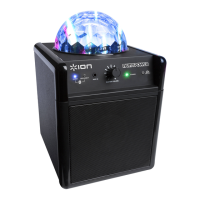
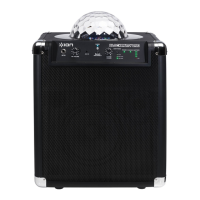
Describes the buttons, display, and ports on the front of the Party Boom™ Plus.
Details the connection ports, specifically the power input, located on the rear of the speaker.
Step-by-step instructions to connect a Bluetooth-enabled device to the speaker for audio playback.
Guide on how to wirelessly connect two Party Boom™™™ Plus speakers for stereo sound.
Explains how to cycle through and control the various LED lighting effects on the speaker.
Instructions for tuning into FM radio stations, saving presets, and recalling them.
Details how to play music from a USB drive and manage playback modes like repeat and shuffle.
Instructions for using the speaker's USB port to charge external devices like smartphones or tablets.
Guide to downloading and using the ION Sound Control™ app for speaker management and features.
Comprehensive details on output power, speaker size, frequency response, USB, Bluetooth, battery, and dimensions.
Legal information concerning trademarks, logos, and licensing agreements associated with the product.



 General