EasyManua.ls Logo

ION PARTY POWER - User Manual

ION PARTY POWER
28 pages
Print Icon
To Next Page IconTo Next Page
Loading...
Party Power
Quickstart Guide English ( 3 – 6 )
Guía de inicio rápido Español ( 7 – 10 )
Guide d'utilisation rapide Français (11 – 14 )
Guida rapida Italiano ( 15 – 18 )
Schnellstart-Anleitung Deutsch ( 19 – 22 )
Snelstartgids Nederlands ( 23 – 26 )
Question and Answer IconNeed help?

Do you have a question about the ION PARTY POWER and is the answer not in the manual?

Summary

Quickstart Guide English

Introduction

Essential initial steps for product setup, including checking box contents and charging.

Box Contents Overview

Lists all items included in the product packaging for user verification.

Product Support Information

Provides contact and website details for product information, registration, and assistance.

Rechargeable Battery Care

Recommendations for optimal charging, storage, and maintenance of the internal rechargeable battery.

Quick Setup

Connection Diagram and Placement

Illustrates how to connect audio sources and recommends optimal placement for performance.

Key Features and Controls

Details the functions of the auxiliary input, Bluetooth, volume control, power LED, and lights.

Troubleshooting and Connectivity

Bluetooth Device Connection

Step-by-step instructions for pairing, connecting, and disconnecting Bluetooth devices.

Product Specifications

Trademarks and License

Summary

Quickstart Guide English

Introduction

Essential initial steps for product setup, including checking box contents and charging.

Box Contents Overview

Lists all items included in the product packaging for user verification.

Product Support Information

Provides contact and website details for product information, registration, and assistance.

Rechargeable Battery Care

Recommendations for optimal charging, storage, and maintenance of the internal rechargeable battery.

Quick Setup

Connection Diagram and Placement

Illustrates how to connect audio sources and recommends optimal placement for performance.

Key Features and Controls

Details the functions of the auxiliary input, Bluetooth, volume control, power LED, and lights.

Troubleshooting and Connectivity

Bluetooth Device Connection

Step-by-step instructions for pairing, connecting, and disconnecting Bluetooth devices.
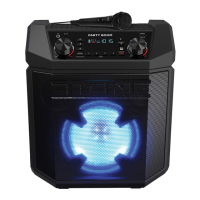
Product Specifications

Trademarks and License

ION PARTY POWER Specifications

General IconGeneral
BrandION
ModelPARTY POWER
CategorySpeakers
LanguageEnglish

Related product manuals