EasyManua.ls Logo

iOttie iON Wireless Stand - Getting Started

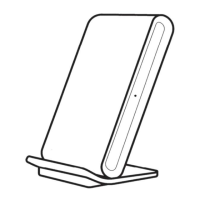
iOttie iON Wireless Stand
12 pages
Print Icon
To Next Page IconTo Next Page
To Previous Page IconTo Previous Page
Loading...
Getting Started
Follow
the
detailed
instructions
within
this
manual
when
using
the
iON
Wireless
Stand.
--·
Please
make
sure
your
device
is Qi
Wireless
compatible.
Compatible
devices
include
iPhone
X,
8 Plus, 8,
Samsung
Galaxy
S9, S9+,
Note
8, S8, S8+,
S7,
S7 Edge, S6, S6
Edge,
and
any
other
Qi
enabled
devices.
Not
all
smartphones
can
receive
a
wireless
fast
charge,
however
they
will
receive
a
standard
wireless
charge.
Check
your
phone's
charging
features
for
fast
charge
capabilities.
Please
only
use
the
included
cable
and
power
adapter.
Third
party
components
may
impact
wireless
charging
performance.
If
using
a
third
party
charger,
please
only
use
a
Qualcomm
Quick
Charge
3.0
or
equivalent
adapter.
Plugging
charging
stand
into
a
computer
will
not
provide
adequate
power
to
support
wireless
fast
charging.
Please
only
plug
directly
into
a
Power
Adapter.
0 iOttie
is
not liable for possible damages due to
pr
oduct
mi
suse.

Related product manuals