40/40
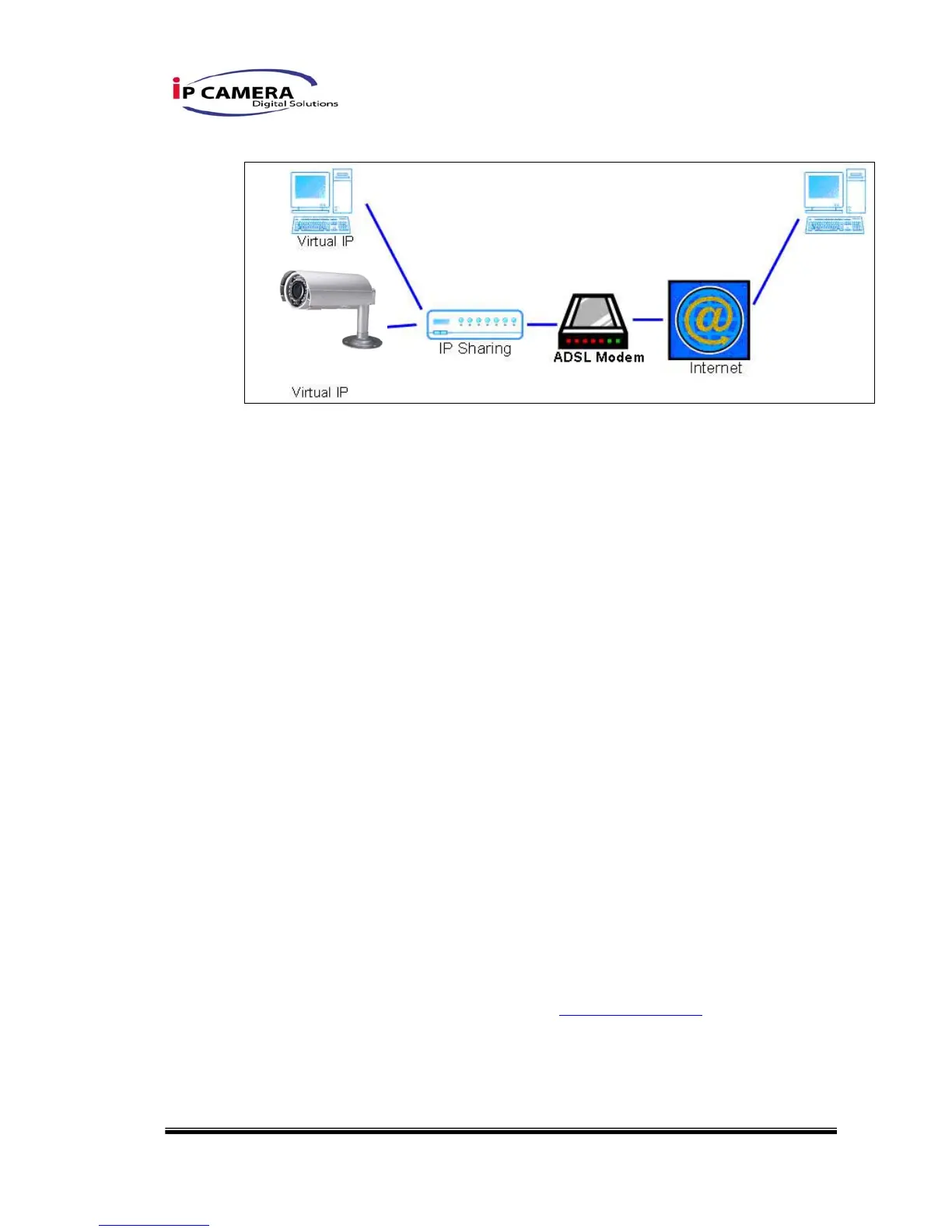
iii、 Configuration 3:
a. Internet Access:ADSL or Cable Modem
b. IP address:one real IP or one dynamic IP
c. IP CAMERA and PC connect to the internet
d. Device needed:IP sharing
e. Use virtual IP, set up port forwarding in IP sharing.
VII. Package contents
i、 IP CAMERA Network Camera
ii、 Adaptor
iii、 Ethernet Cable
iv、 CD title (User manual, IP installation Utility)
VIII. Factory Default
i、 Removing an Ethernet cable.
ii、 Plugging “a pink default cable” into “GND”.
iii、 Plug power cable.
iv、 When camera starts again, please remove the pink default cable and plug
Ethernet cable for new setting.
v、 Re-login the camera using the default IP (http://192.168.1.200), and user
name (admin), password (admin).



 To Previous Page