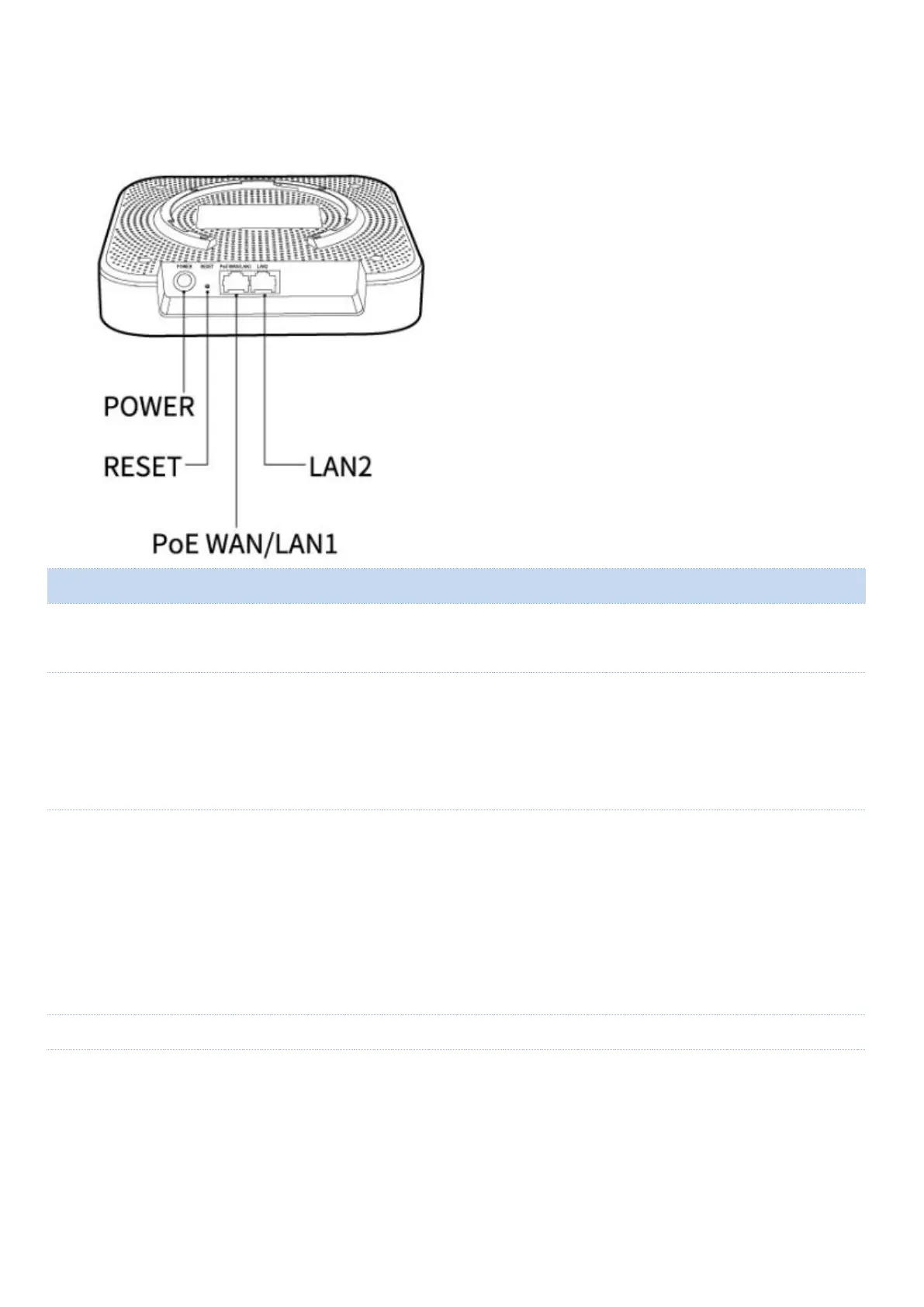
Reset button.
When the SYS LED indicator is blinking, hold down this button for about 8 seconds,
and then release it when all LED indicators light solid green. When the SYS LED
indicator blinks again, the device is restored to factory settings.
10/100/1000 Mbps PoE port for power supply and data transmission.
When no power sources are available at hand, use the included PoE injector instead.
When the device works in Router mode, this port functions as a WAN port used
to connect to a modem or an Ethernet jack.
When the device works in AP mode, this port functions as a LAN port used to
connect to a device under the LAN.



 To Next Page