■
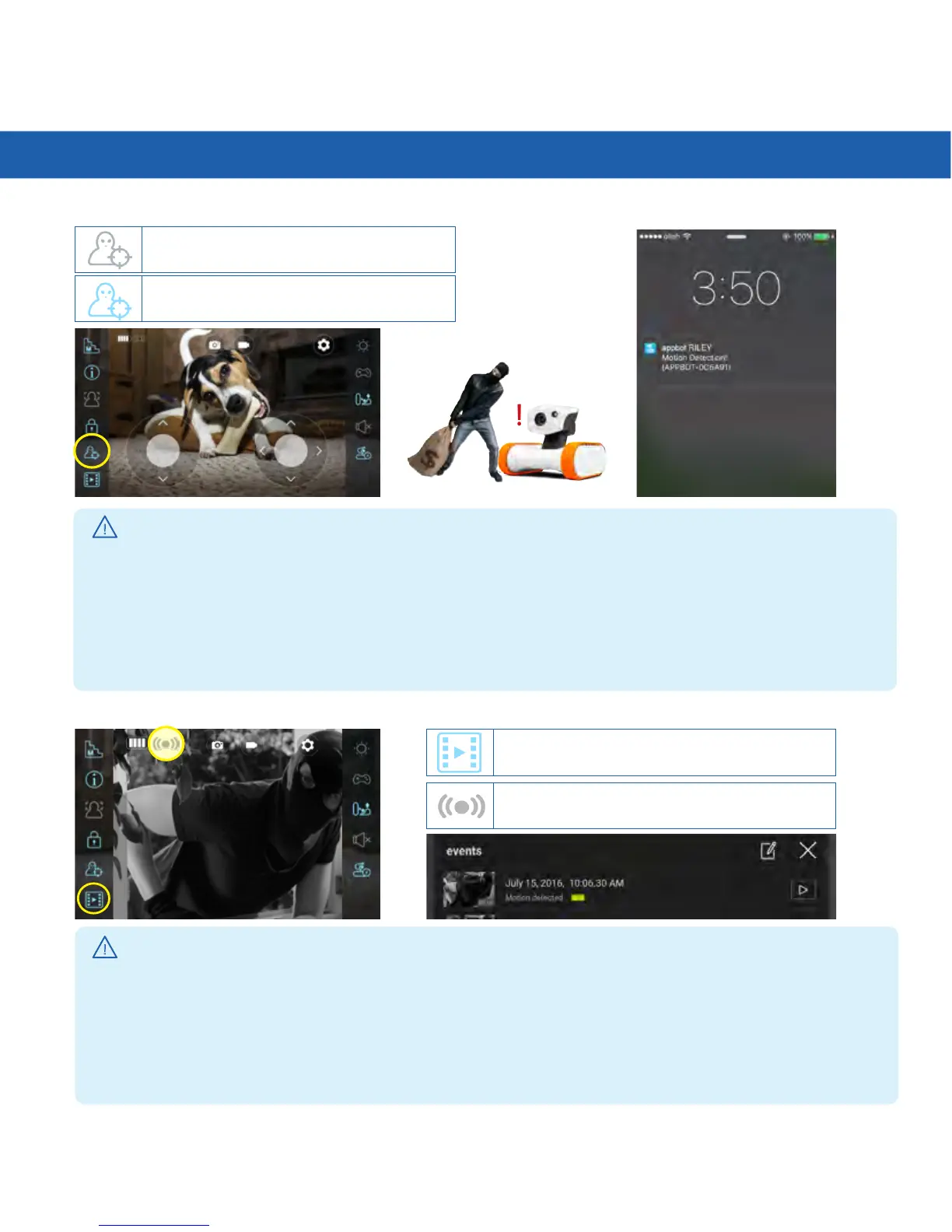
Motion Detection Video Storage
■
Motion Detection On/Off
!
MotionDetectionOFF
Motion detection video storage
Motion detection video indicator icon
MotionDetectionON
!
!
Useful Tips
Useful Tips
*Motiondetectionwillonlyworkifyouexittheapplication.
*Whenperformingmotiondetectionatnight,motiondetectionmustbeexecutedafterturnonthenight
vision function.
* If there is an obstacle within
3
ft,motiondetectionmessagemayappearevenifthereisnomotion.
*
Ifyousetthepop-upblockonthemobilephone,themotiondetectionmessagewillnotsendtoyou.
*
Only the latest connector will receive the alarm message.
*
PleaseberemindedthatmotiondetectionwillremainONuntilthebuttonispressedagain.
*
Clickthealarmmessageonyoursmartphonetoviewvideoofdetectedmotion.
* Riley stores up to
5
videos,eachof10secondslength.
* Only the notification message will be send to the user when it ready store
5
videos.
* When it reaches capacity (
5
videos),thenewestrecordingwillnotreplacetheoldestvideo.
* You need to delete the video to save another video.
*VideosareavailabletocheckthroughtheAPPonly.
* There is no function to download the video on to your smart device.



 To Next Page