English
- 23 -
ing the omnipolar switch or
by unplugging the plug from
the socket.
- Water cleaners with the
“Total Stop” device should
be considered as o when
the omnipolar switch is in
the “O” position or the plug is
unplugged from the socket.
- When the water cleaner is not
used, close the safety device
onthehandle.(g.9)
- Dry use of the water cleaner
causes serious damage to
pump gaskets.
FIG. 9
USING THE ACCESSORIES.
Thehighpressurewasherhasanozzlewithaatanglejetfor
cleaning large surfaces.
Warning
Aim the jet from a certain distance to avoid damage caused by
the high pressure.
ROTARY HEAD (optional accessory)
Thehighpressurewashercanbettedwithaheadwithrotary
nozzle to clean the most stubborn dirt.
Danger:
Aim the jet from a certain distance to avoid damage caused by
the high pressure.
Do not aim the jet at people, animals or electrical sockets.
STOPPING THE CLEANER.
1)Switchothe burnerby turning thepressure regulatorto
pos."0"(g.7B).
2) Let the cleaner run with cold water only for at least 30 seconds
to cool down the boiler.
3) After use with detergent, rinse the high pressure water circuit
by operating the pump for one minute with the detergent tap
completely closed.
4) Stop the cleaner by turning the selector switch to pos. "0"
(g.7A).
5) Discharge the pressure from the H.P. hose by pressing the
trigger on the gun.
6) Disconnect the water cleaner from the mains electricity
supply via the omnipolar switch or by unplugging the plug from
the socket.
7)Turnothewatersupplytap(g.5A).
Warning
-Ifthewatercleanerisleft,eventemporarily,turnitobyus-
FIG. 7
FIG. 8
USING
THE CLEANER
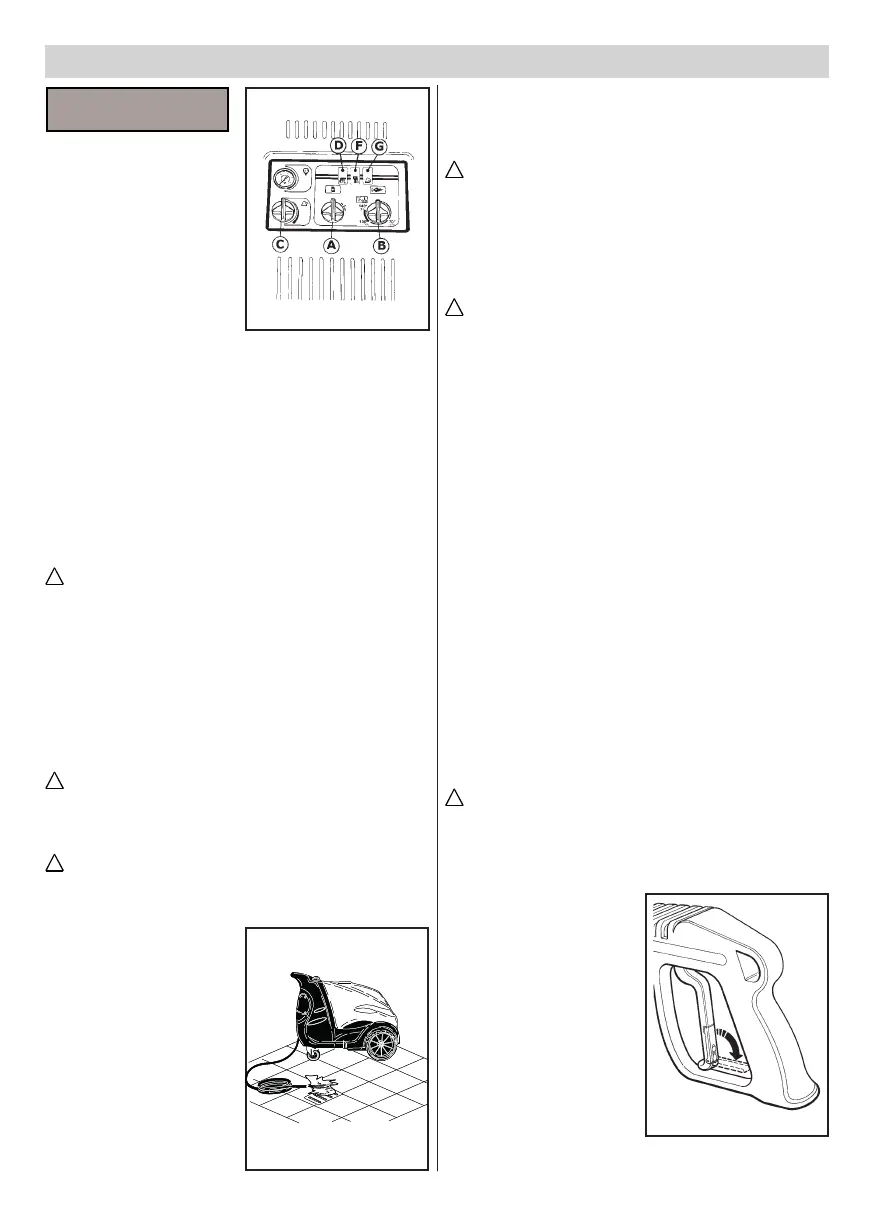
CONTROL PANEL.
A-On/oswitch.
B - Temperature regulator.
C - Detergent control tap (if
available).
D - Light indicating connection
to the mains/microleakages (if
available).
E - Burner ligth (if available).
F - Light indicating diesel oil
lack (if available).
G - No descaler indicator light
(if available).
STARTING THE CLEANER.
1)Turnonthewatersupplytap(g.5A).
2) Connect the water cleaner to the mains electricity supply via
the omnipolar switch or by plugging the plug into the socket.
3) Start the cleaner by turning the selector switch to pos. 1
(g.7A).
Warning
The high pressure water jet generates a reaction force in the
lance.Keeparmgriponthelancehandle.
4) Press the trigger on the gun and begin washing.
5) To use the cleaner with hot water, turn the temperature regu-
lator(g.7B)totherecommendedwashingvalues.
For some models turn the ignition switch (g. 7A) onto the
hot water positionbefore eecting the operations described
in this point.
Warning
In water cleaners with the “Total Stop” system, the motor starts
and stops when the lever on the lance handle is actioned or
released.
Warning
Do not block the handle lever in the delivery position.
IMPORTANT !
To eliminate any impurities
or air bubbles from the wa-
ter circuit we advise starting
the cleaner for the rst time
without the lance and letting
the water run out for a few
seconds.
Impurities could block the
nozzle and cause malfunc-
tion (Fig. 8).


 To Next Page