C
HAPTER
6
| VLAN Configuration
IEEE 802.1Q VLANs
– 176 –
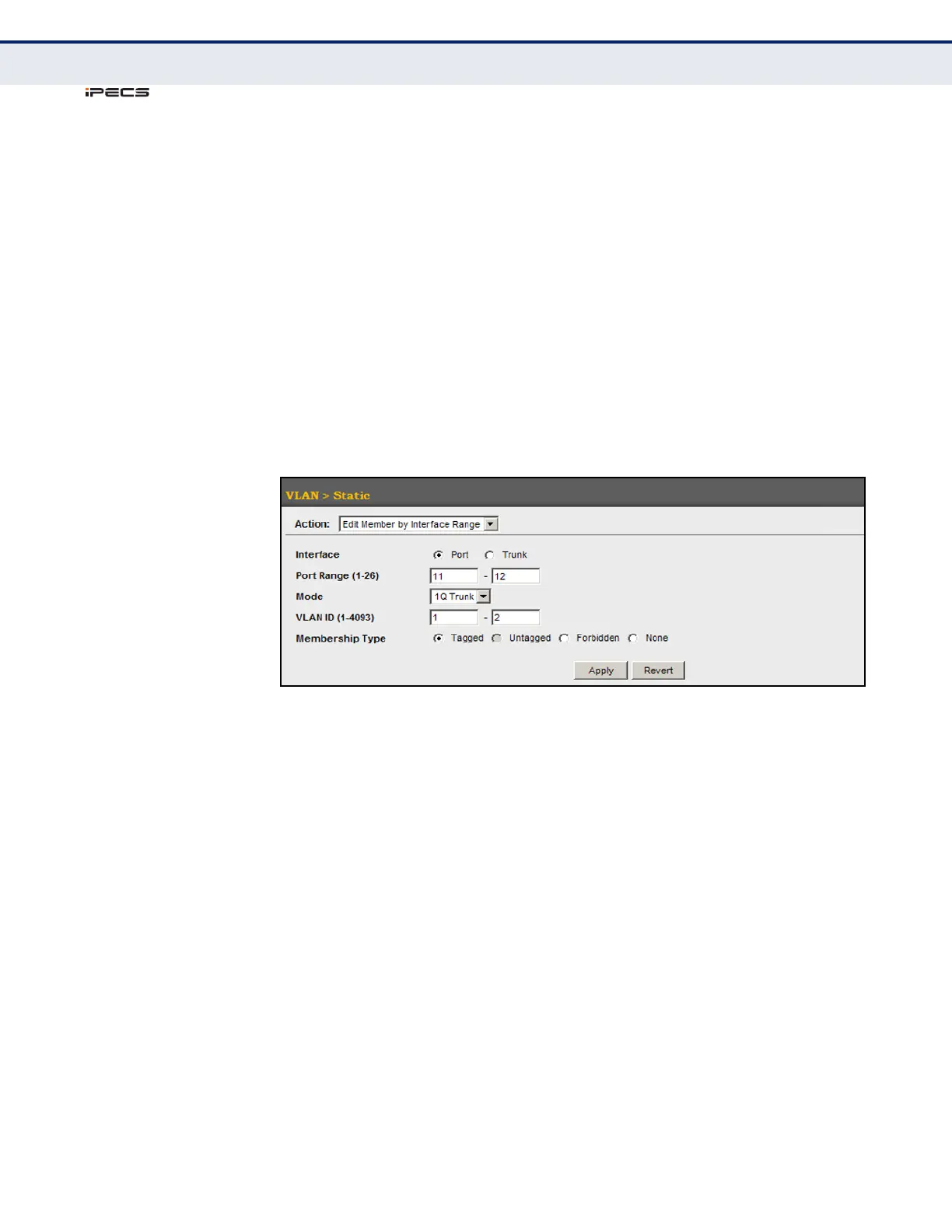
To configure static members by interface range:
1. Click VLAN, Static.
2. Select Edit Member by Interface Range from the Action list.
3. Set the Interface type to display as Port or Trunk.
4. Enter an interface range.
5. Modify the VLAN parameters as required. Remember that the PVID,
acceptable frame type, and ingress filtering parameters for each
interface within the specified range must be configured on either the
Edit Member by VLAN or Edit Member by Interface page.
6. Click Apply.
Figure 66: Configuring Static VLAN Members by Interface Range
CONFIGURING
DYNAMIC VLAN
R
EGISTRATION
Use the VLAN > Dynamic page to enable GVRP globally on the switch, or to
enable GVRP and adjust the protocol timers per interface.
CLI REFERENCES
◆ "GVRP and Bridge Extension Commands" on page 844
◆ "Configuring VLAN Interfaces" on page 851
PARAMETERS
These parameters are displayed in the web interface:
Configure General
◆ GVRP Status – GVRP defines a way for switches to exchange VLAN
information in order to register VLAN members on ports across the
network. VLANs are dynamically configured based on join messages
issued by host devices and propagated throughout the network. GVRP
must be enabled to permit automatic VLAN registration, and to support
VLANs which extend beyond the local switch. (Default: Disabled)



 To Next Page