V1 mini series server instruction manual
- 11 -
Note: In order to prevent “Pool 1” from being disconnected, causing the server to not work, it is
recommended to set “Pool 2” and “Pool 3” at the same time, so as to ensure that the system will
automatically switch to “Pool 2” or "Pool 3” for normal operation when “Pool 1” goes offline.
3.2 Network Settings
Regarding network connection, V1 mini Classic Series products are divided into two models: "wired
connection" and "WiFi connection". You can set the server according to the corresponding model
obtained by following the instructions below:
3.2.1 Wired connection
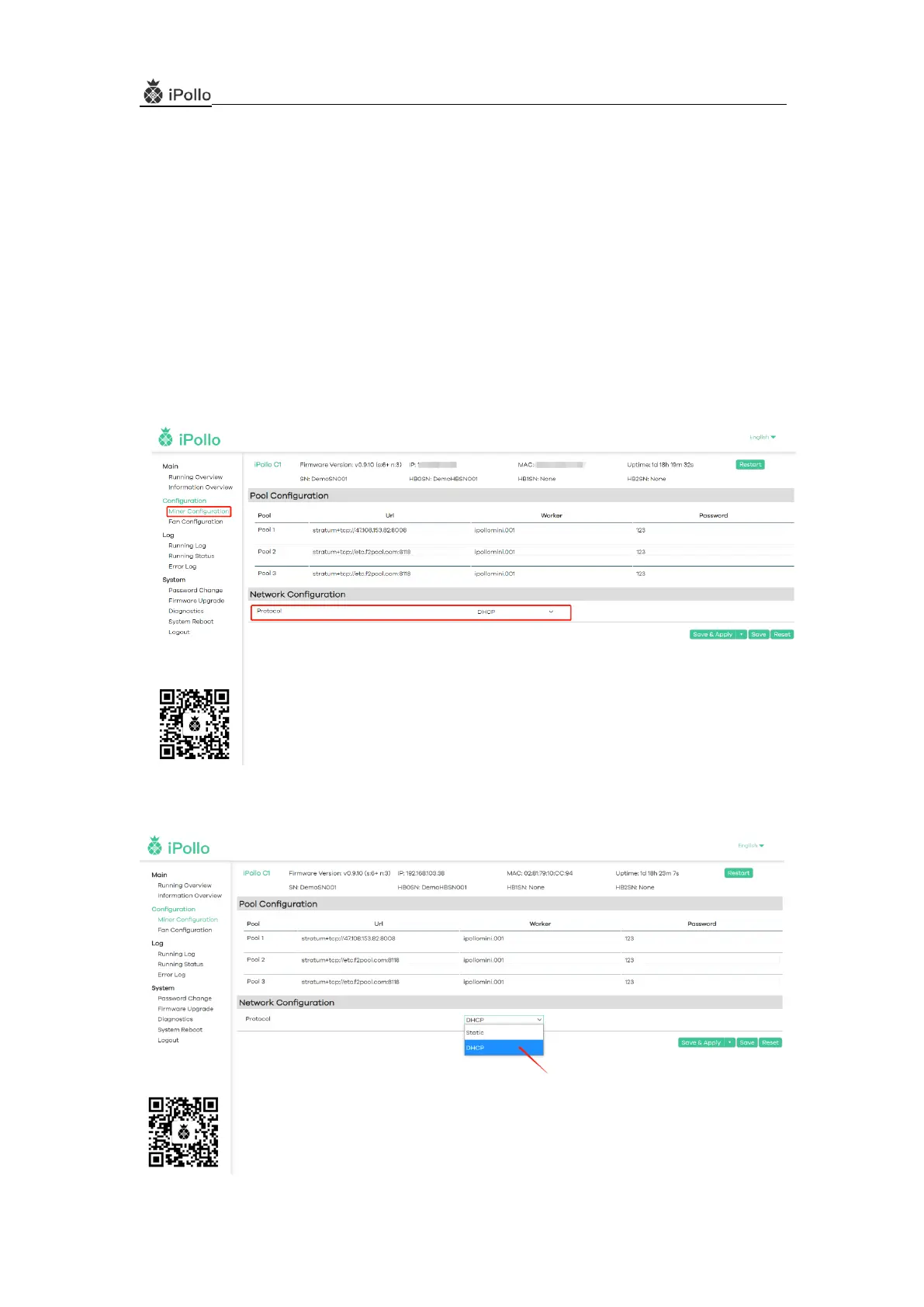
(1) Select “Network Configuration” and fill in the network information:
(2) In the protocol column, select one of “DHCP (dynamic)” or “Static” (optional).
(2-1) Select “DHCP (Dynamic)” State:The server automatically obtains an IP address


 To Next Page