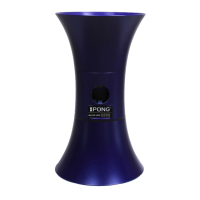
Operational Instructions
NOTE: iPong should only be used with 40mm table tennis balls.
1. Place the assembled iPong V300 on the table, close to the back end and along
the middle line. Then, angle the projection hole to the desired left or right
position on the table.
2. Before turning on the iPong, make sure that there are no table tennis balls
inside the core engine. Rotate the agitator manually so that the round gap in
the agitator is not lined up with the ball entry hole. This will reduce the
possibility of jamming.
3. Dispense table tennis balls into the top assembly. 60-100 table tennis balls is
the recommended amount.
4. Press the power button and play/pause button immediately after.
This gives you time to adjust each setting on the remote to your preferences.
Then, press the play/pause button to start playing. Review the instructions
below on how to customize your settings.
Settings Customization
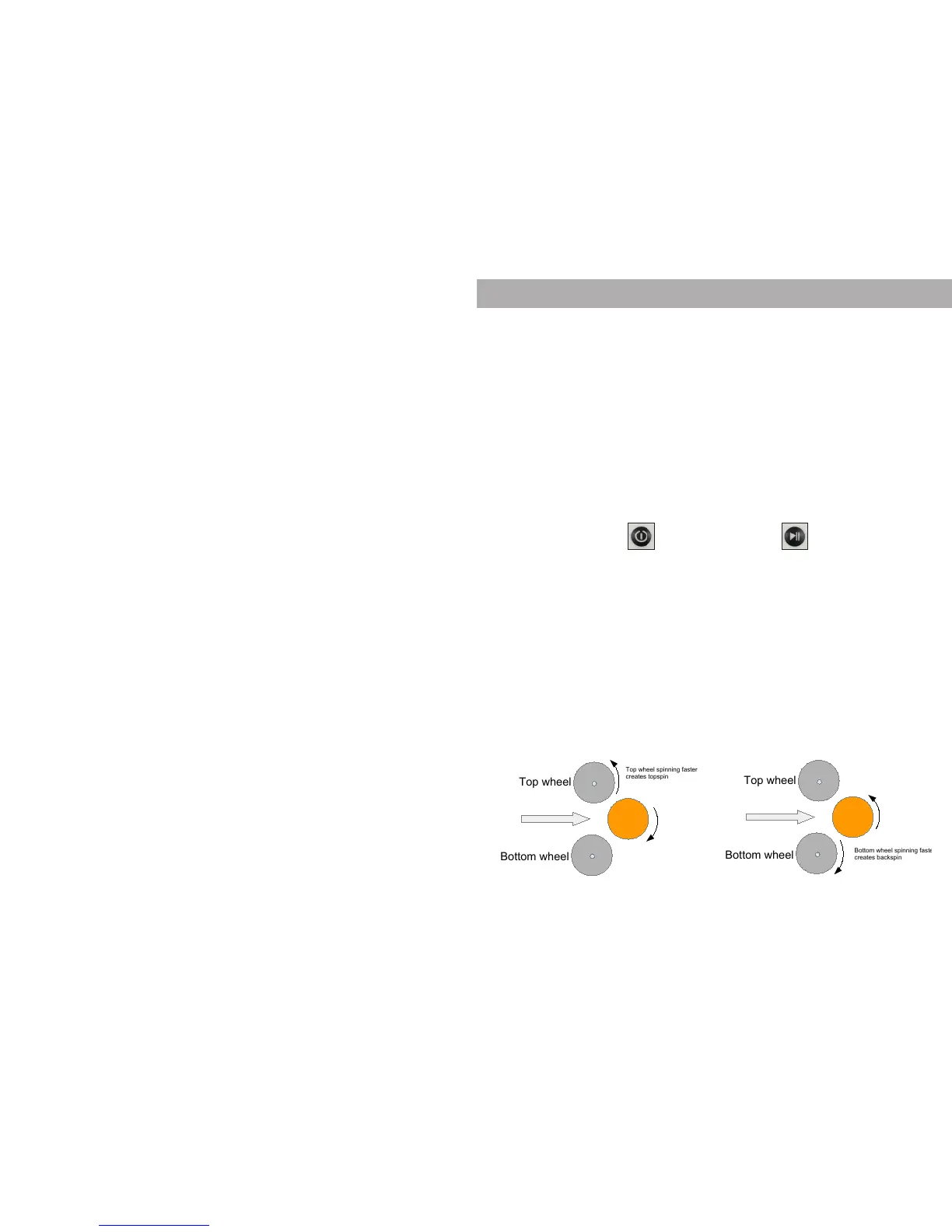
The iPong V300 uses an upper wheel and lower wheel to control ball spin,
speed, and trajectory. When the upper wheel spins faster than the lower wheel,
topspin is generated. When the lower wheel spins faster than the upper wheel,
backspin is generated. When both wheels are spinning at the same speed, the
ball is traveling across the table with no spin.
Topspin Ball Backspin Ball
Caption: Note: Due to varying conditions (ball size, dust, humidity, altitude, etc.), the remote control
settings provided for the iPong may not be exact. Adjust these settings to meet your desired need.
Top wheel
Bottom wheel
Top wheel spinning faster
creates topspin
Top wheel
Bottom wheel
Bottom wheel spinning faster
creates backspin
BACKSPIN
Understanding iPong Master V300 spin and control settings
4 0 7 3
4 0 3 7
Typical Master V300 setup for specific ball types:
Topspin balls:
TOPSPIN control between 5 and 7
BACKSPIN control between 2 and 4
Backspin balls:
TOPSPIN control between 2 and 4
BACKSPIN control between 5 and 7
Top wheel
Bottom wheel
Top wheel spinning faster
creates topspin
Top wheel
Bottom wheel
Bottom wheel spinning faster
creates backspin
BACKSPIN
Understanding iPong Master V300 spin and control settings
4 0 7 3
4 0 3 7
Typical Master V300 setup for specific ball types:
Topspin balls:
TOPSPIN control between 5 and 7
BACKSPIN control between 2 and 4
Backspin balls:
TOPSPIN control between 2 and 4
BACKSPIN control between 5 and 7
A ball is jammed or stuck inside the iPong?
- Unplug the iPong. Manually reach in and sh the ball out. You can
also tip the unit upside down and shake it gently to get the ball to
fall out.
Agitator tab broken?
- The agitator is a sensitive part and can break if the iPong is not
handled carefully. Once the agitator is broken, it cannot be xed
manually. Contact customer service for a replacement part.
Core engine is very loud?
- Power o the iPong and examine for any obstructions in the wheel
motors. Also, check that iPong is on a level surface to prevent the
motors from vibrating and moving around.
Last few balls in the top assembly aren’t shooting out?
-This is an indicator that it is time to reload the balls.
Does the iPong require any maintenance?
- It does not require any maintenance, although it is important to
make sure the wheels are clean and free from dust, hair, and pet
dander.
Balls lying around on the oor?
- Try our Table Tennis Ball Catch Net or Table Tennis Ball Pickup Net
to make collecting balls faster and easier. Available at
www.ipong.net under Accessories.
If your problem or question isn’t helped by any of these suggestions
please ll out the support request form at ipong.net
10 3


 To Next Page
 Loading...