Need help?
Do you have a question about the iProtec CHAMELEON and is the answer not in the manual?
Steps for opening the battery compartment, inserting a new battery correctly, and reattaching the end cap.
Instructions on how to adjust the flashlight beam from spotlight to floodlight by twisting the bezel.
Explanation of hard and soft touch technology for changing flashlight settings.
How to activate 100 lumens of white light and its performance specifications.
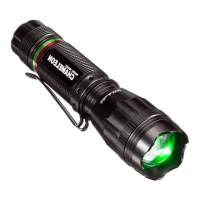
How to activate green light mode and its performance specifications.
How to activate red light mode and its performance specifications.
How to activate defensive strobe mode and its performance specifications.
Details of the one-year guarantee against defects in workmanship and materials.
 General
| Battery Type | 18650 lithium-ion (included) or 2x CR123A |
|---|---|
| Run Time | Up to 4 hours (depending on mode) |
| Water Resistance | IPX8 (submersible up to 2 meters) |
| Weight | 150 grams (without battery) |
| Modes | 5 (High, Medium, Low, Strobe, SOS) |
| Beam Distance | 200 meters |
| Material | Aluminum |

 To Next Page